Copilot 2 makes every teammate more efficient
Copilot is the Agent for customer support teammates, in the Intercom Inbox or any other helpdesk. It proactively supports your team on every conversation - pulling in context, taking action across your connected systems, and handling the admin - so they resolve more without leaving their inbox.

Give every teammate an Agent that’s one step ahead
Copilot is there for the conversations that take the most work: long threads, technical issues, answers spread across several systems. By the time a teammate picks up the conversation, Copilot has already summarized what’s happened and drafted a reply based on your knowledge base, connected systems and past conversations.
It also pulls in what’s needed from tools like GitHub, Linear and Notion, and takes the action there too. It handles the admin that comes with every conversation, such as the notes, the tags, the assignment - so your team gets through more without leaving the Inbox.

See the newest Copilot features announced at Pioneer
Watch Paul Adams’ Pioneer keynote for a first look at how Copilot works proactively on every conversation, pulling in context, taking action across your connected systems and handling the admin, so your team resolves more.
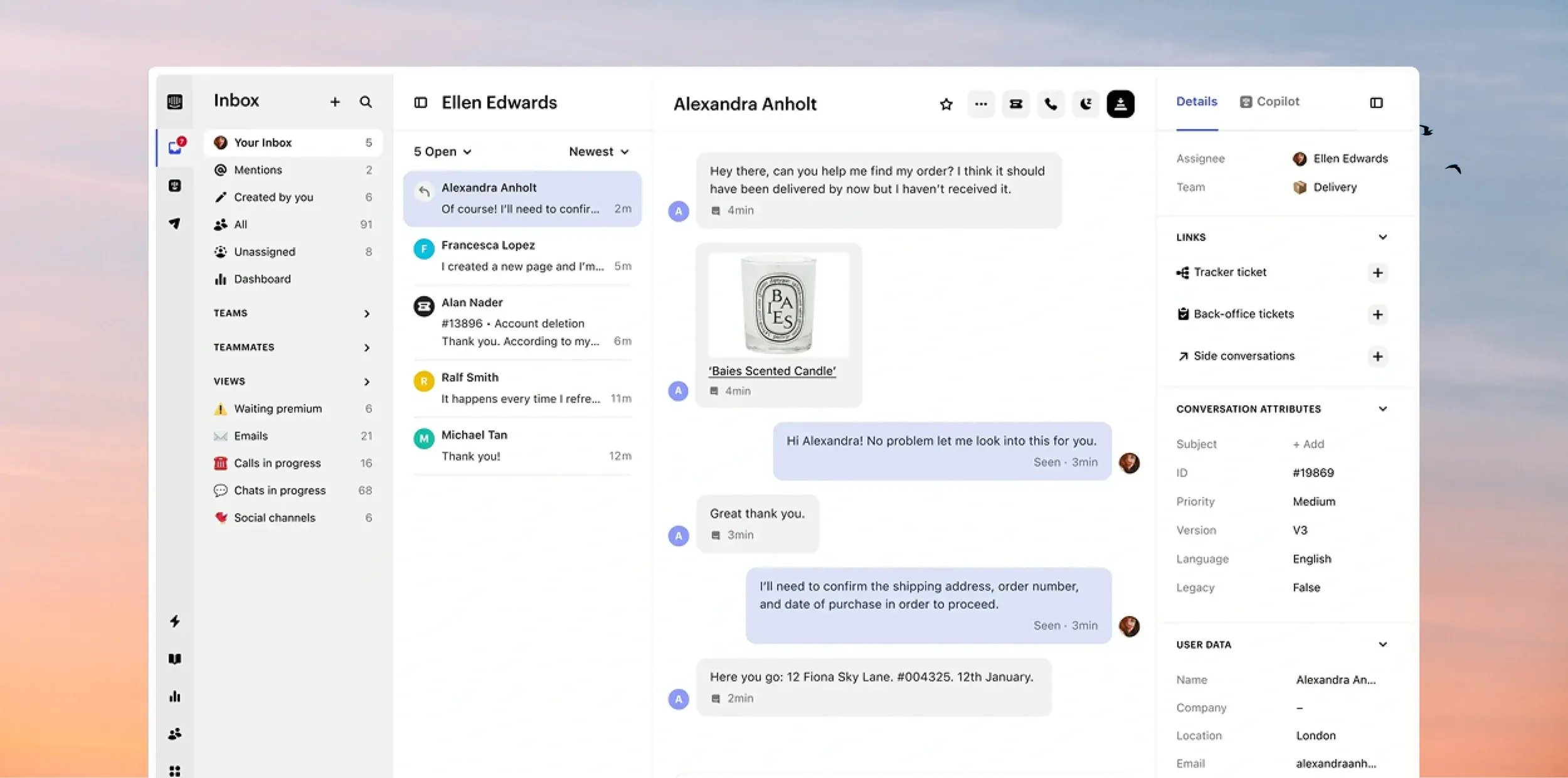

Full context as soon as a
conversation is opened
Copilot works in the background on every conversation that lands with your team. By the time a teammate opens one, the context is gathered, the reply is drafted and the next step is ready - so they start from the answer, not from scratch.

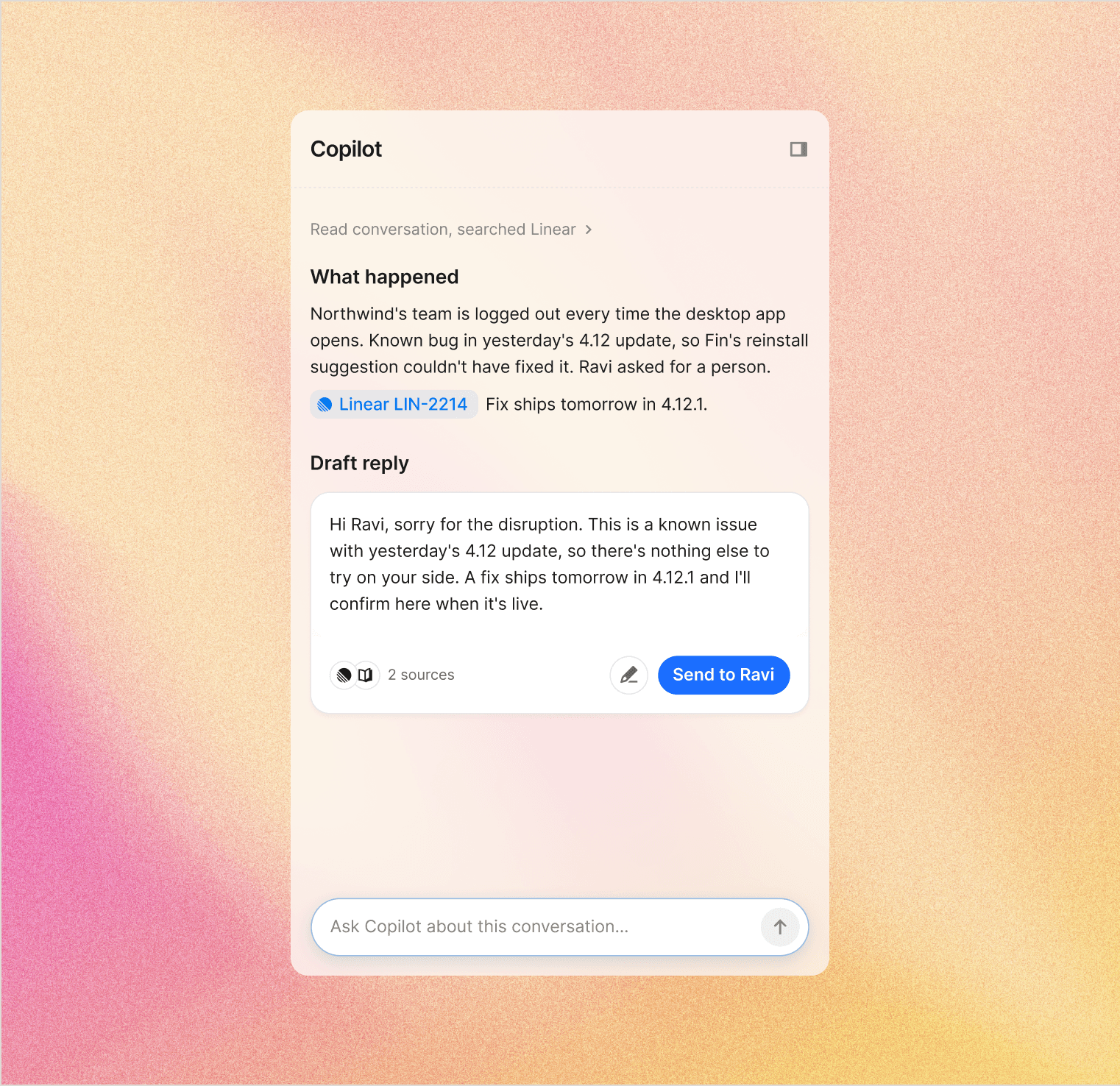
Works in the background
Before a teammate opens the conversation, Copilot has already read the whole thread, internal notes and customer data, and summarized the problem, what's been tried and who the customer is.
Suggests what to do next
Copilot proposes the next step, with a draft reply ready to refine and send, waiting when the teammate opens the conversation.
Checks the reply before it's sent
If a reply has the wrong customer details, looks incomplete or seems meant for another conversation, Copilot stops and asks first.

I’ve never come across an Agent that could handle a 30-email conversation so well, providing such a clear summary and saving me around four hours of investigation.”



Connects to your tools,so your team stays in the Inbox
Copilot draws on your help center, internal docs and past conversations, and connects to the tools your team already uses, like GitHub, Linear and Notion. It takes action in those tools too, so your teammate can work the whole conversation from the Inbox, whichever channel the customer came from.


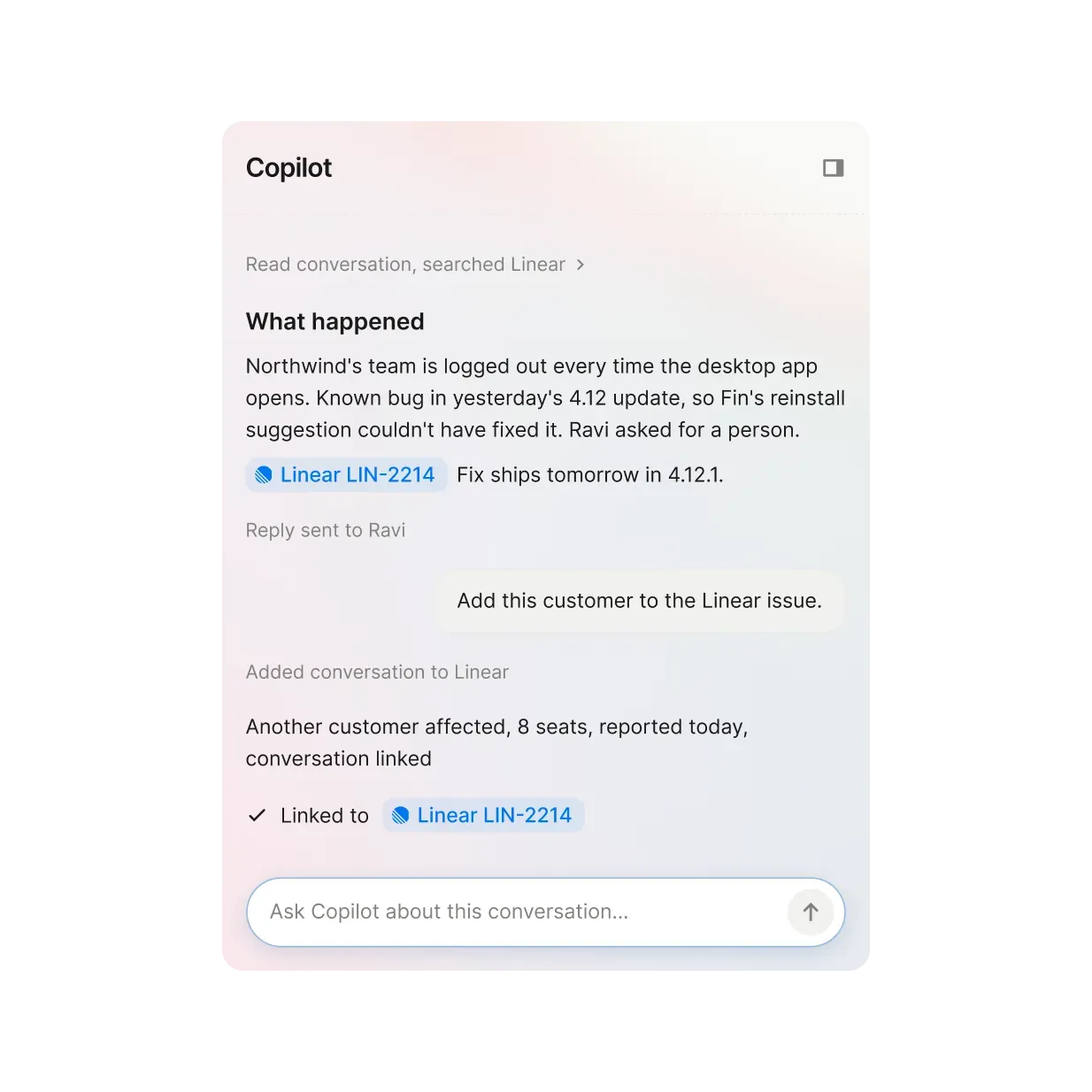
Brings in the context from your tools
Copilot pulls what the conversation needs from your connected tools - a GitHub issue, a Linear ticket, a Notion doc - straight into the Inbox, so no one goes looking for it.
Takes action in your connected systems
Copilot can update a ticket, log an issue or change a record in your connected systems, with the teammate's approval.
Covers all your channels
Copilot works on conversations from email, live chat, WhatsApp and social, wherever the customer wrote in.
Before Copilot, teammates were context-switching constantly: searching the knowledge base, digging through old conversations, or asking a colleague. Now all of that happens inside the inbox.”


Takes care of the admin,
to the standard you set
Ask Copilot to tag the conversation, write an internal note or prepare a handover, and it does it right there, following the guidance you define - so teammates skip the admin.


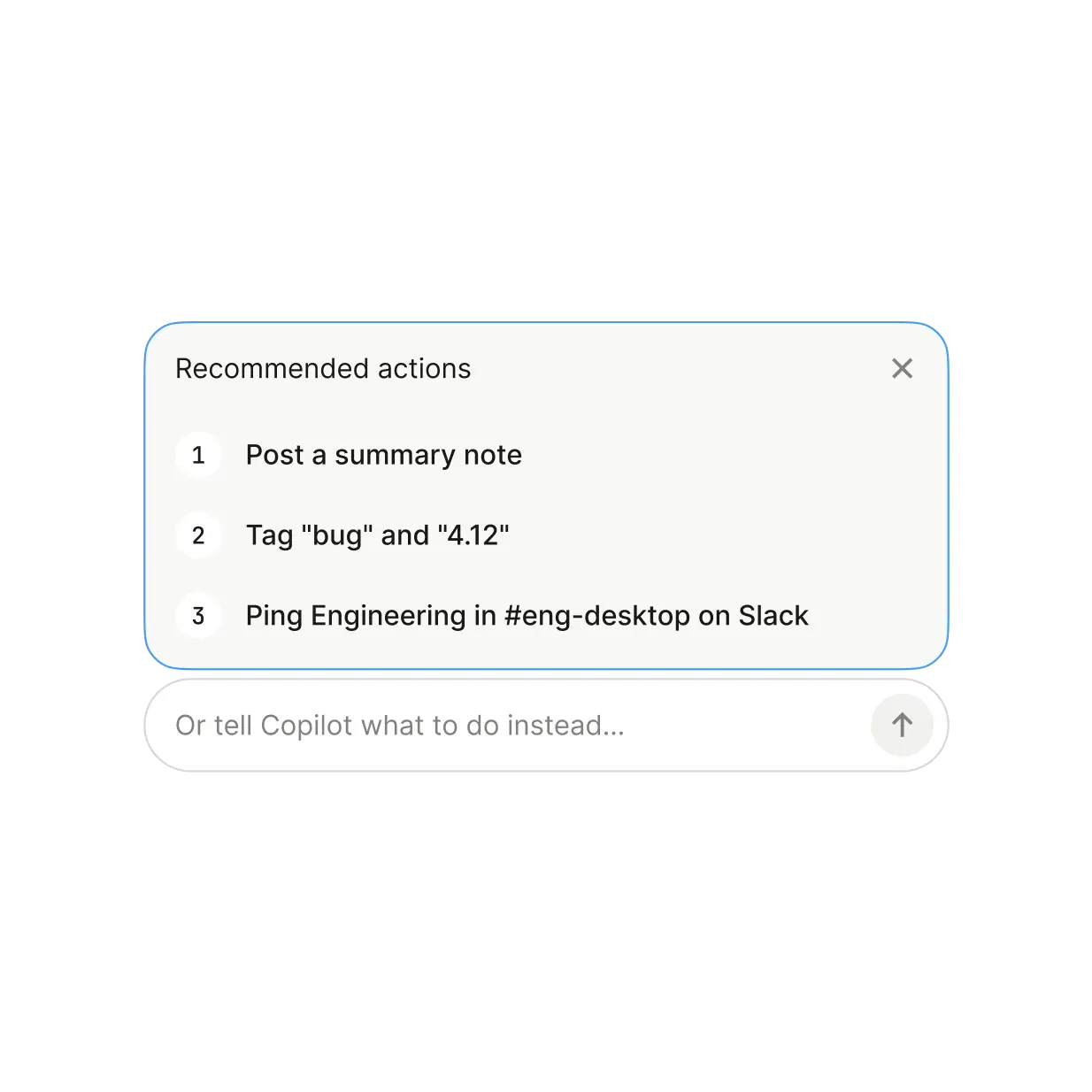
Writes the handover
Copilot summarizes the conversation, posts it as an internal note, and @mentions the right teammate or team.
Tags and reassigns
It adds tags and changes assignment when your teammate asks.
Deeply integrated with theIntercom helpdesk
Copilot isn’t an app you connect to the helpdesk. It works inside the Inbox, where your team and Fin already handle every conversation, customer history, ticket and channel - so there’s no new tool to learn and nothing to switch between.

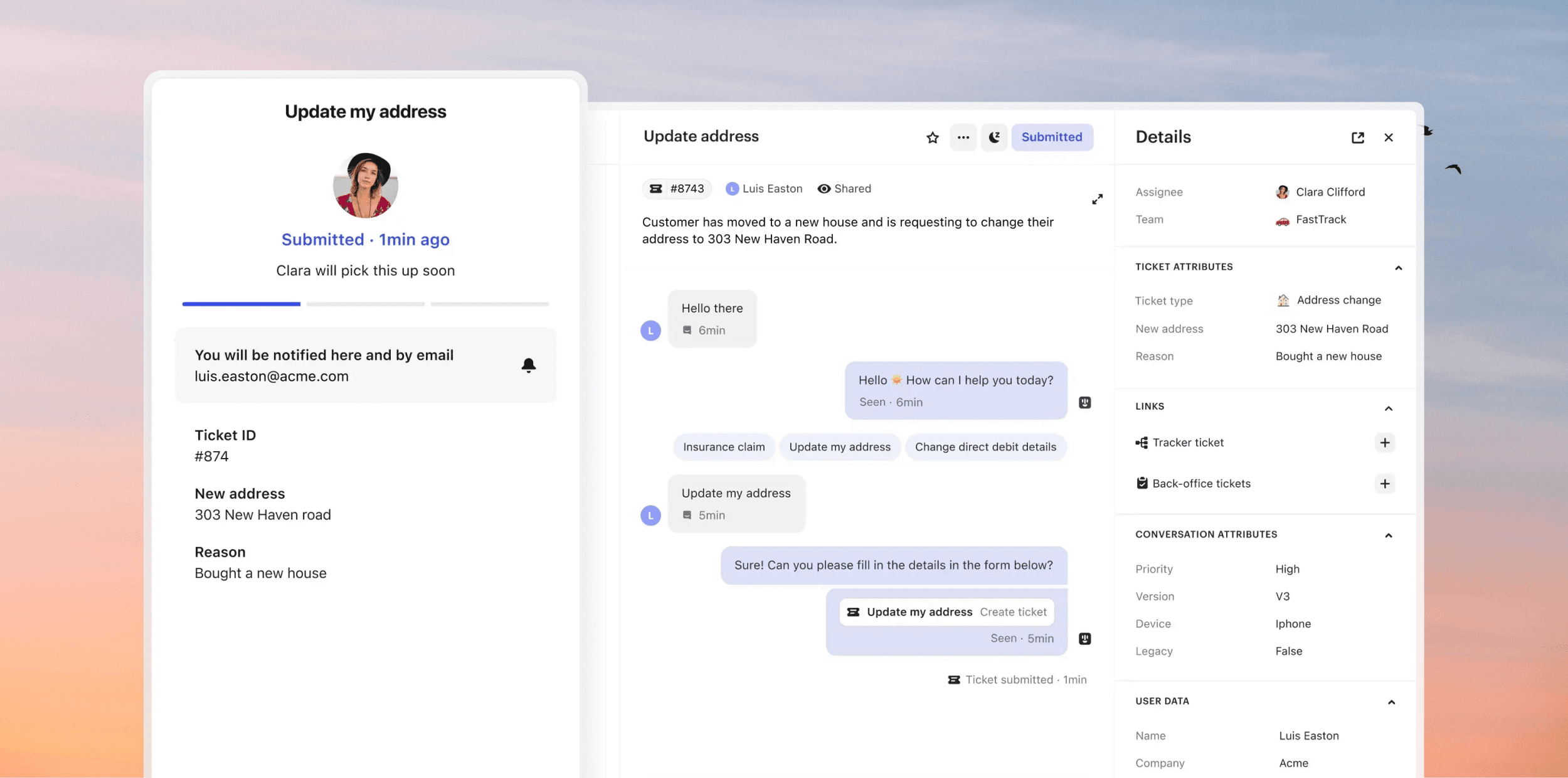
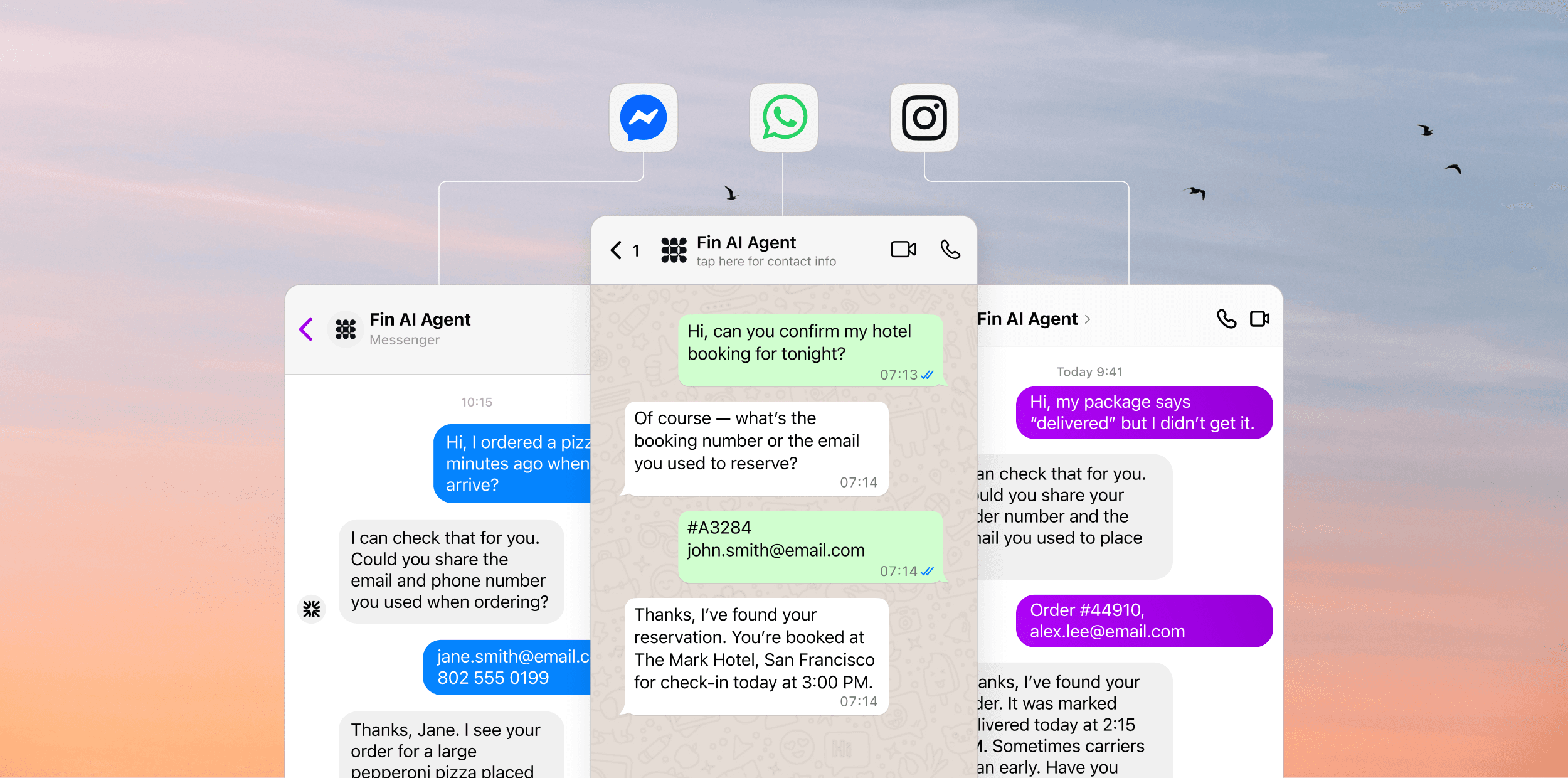
Copilot works in the same Inbox as your team - a configurable, shared Inbox designed for speed and efficiency, so teammates collaborate faster.
When a conversation needs a ticket, your team creates and works it in the same place Copilot does, with no switching tools and no lost context from conversation to resolution.
Conversations from email, live chat, WhatsApp and social all land in the same Inbox, so Copilot works on them the same way, wherever the customer wrote in.