The best help desks in 2026 must do three jobs well…
- They must give customers fast, accurate answers.
- They must give support agents enough context and control to resolve difficult issues.
- And they must help the business automate more work without losing visibility, trust, or customer satisfaction.
That changes how these products should be evaluated. A polished inbox matters, but so do AI resolution quality, workflow depth, knowledge management, reporting, integrations, and the full cost per resolution. The best platform is not the one with the longest feature list. It is the one that fits the work your team actually does.
This guide compares 10 of the best help desk software platforms in 2026.
Summary:
- Best overall help desk software: Intercom, for combining a complete customer support platform with Fin AI Agent, omnichannel conversations, tickets, workflows, reporting, and knowledge management.
- Best traditional ticketing suite: Zendesk, particularly for support organizations that already operate through queues, macros, SLAs, and structured routing.
- Best for Salesforce-centered enterprises: Salesforce Service Cloud, when service data and workflows must live inside the Salesforce CRM and platform.
- Best for mid-market value: Freshdesk, which offers strong ticketing, automation, AI, and reporting without the ownership burden of a large enterprise platform.
- Best for ecommerce: Gorgias, especially for Shopify-centric businesses that need order data and commerce actions inside the support interface.
- Best for internal IT support: Jira Service Management, with incident management, change management, asset management, and close integration with engineering workflows.
- A real buying decision should be based on resolution quality, human-agent experience, integration depth, admin effort, scalability, and total cost, not a vendor's headline price.
The Best Help Desk Software at a Glance
| Rank | Help desk software | Best for | Editorial score | G2 Rating | Public starting point* | Trial or free plan | Main trade-off |
|---|---|---|---|---|---|---|---|
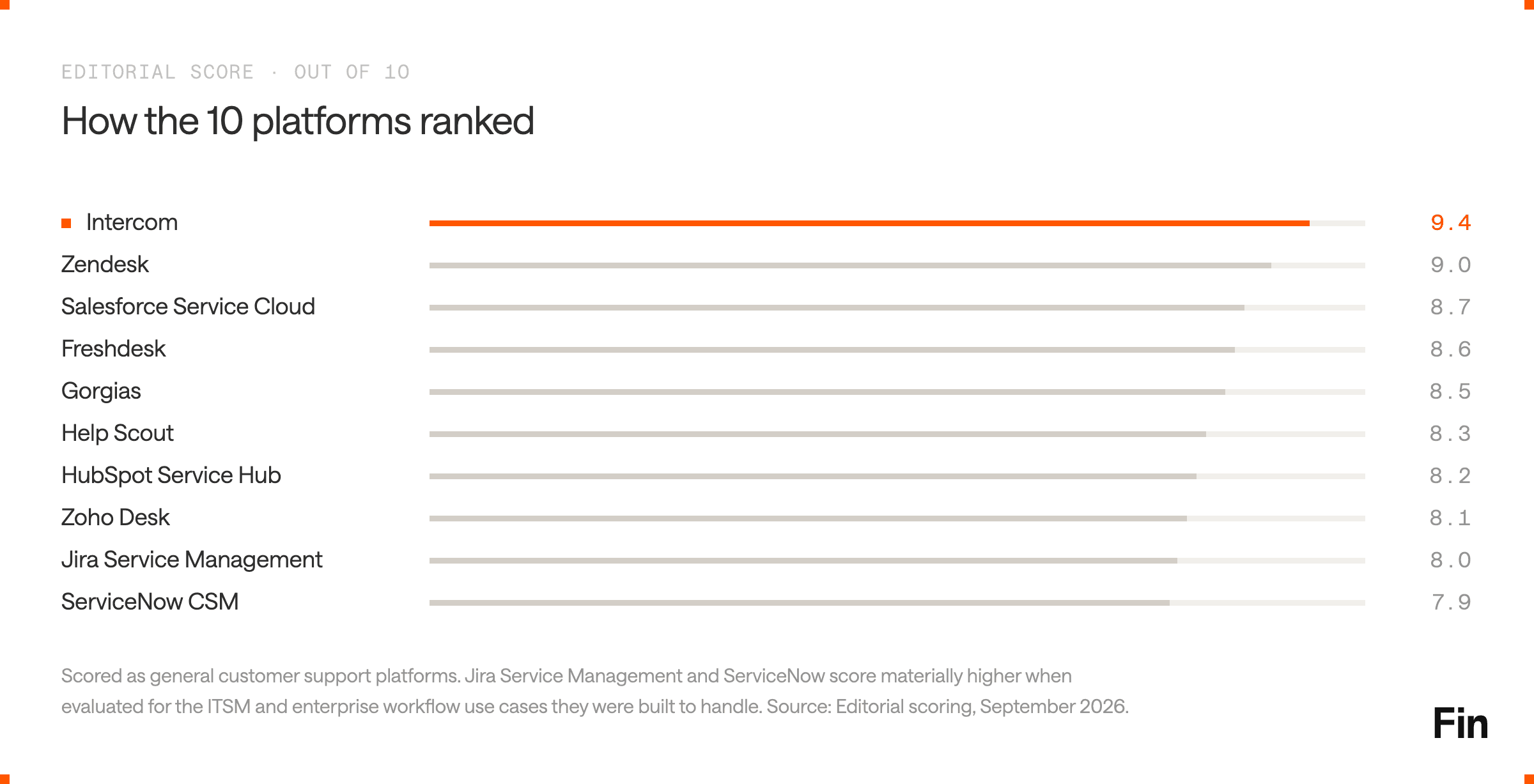
| 1 | Intercom | AI-first customer support | 9.4/10 | 4.5/5 | $29 per seat/month plus Fin from $0.99 per outcome | 14-day free trial | Not an ITSM or asset-management platform |
| 2 | Salesforce Service Cloud | Enterprises standardized on Salesforce | 8.7/10 | 4.4/5 | Starter Suite $25 per user/month; Core $195 | 30-day free trial | High implementation and administration overhead |
| 3 | Zendesk | Mature, ticketing-led support operations | 9.0/10 | 4.3/5 | $19 per agent/month; Suite from $55 | 14-day free trial | Costs rise as teams add higher tiers and AI tools |
| 4 | Freshdesk | Mid-market teams balancing depth and usability | 8.6/10 | 4.4/5 | $19 per agent/month | Free trial | Advanced AI, routing, and analytics increase the cost |
| 5 | Gorgias | Ecommerce and Shopify support | 8.5/10 | 4.6/5 | Volume-based by billable tickets | Free trial | Ticket and AI automation fees can apply to the same conversation |
| 6 | Help Scout | Smaller, email-led customer support teams | 8.3/10 | 4.4/5 | $25 per user/month | Free trial | Less operational depth than enterprise help desks |
| 7 | HubSpot Service Hub | Businesses already using HubSpot CRM | 8.2/10 | 4.4/5 | Free tools; Professional from $90 per seat/month | Free plan | Serious help desk and AI use typically requires Professional or above |
| 8 | Zoho Desk | Value-focused teams in the Zoho ecosystem | 8.1/10 | 4.4/5 | Free for three users; paid plans vary by region | 15-day free trial | Capability is spread across tiers and adjacent Zoho products |
| 9 | Jira Service Management | IT, engineering, and internal service teams | 8.0/10** | 4.3/5 | Free for three agents; Standard $20 per agent/month | Free plan and 14-day trial | More service desk than customer experience platform |
| 10 | ServiceNow Customer Service Management | Complex enterprise service operations | 7.9/10** | 4.4/5 | Custom pricing | Demo | Expensive to implement, own, and change |
* Public prices were checked on September 2, 2026. Vendors may show different prices by region, billing term, usage, or contract.
** Jira Service Management and ServiceNow score lower as general customer support tools. Their scores rise materially when evaluated for the ITSM and enterprise workflow use cases they were built to handle.
How We Evaluated the Best Help Desk Tools
This is an editorial assessment published by Intercom, so the methodology should be explicit. We ranked Intercom first because it offers the strongest overall combination of AI resolution, human support workflows, channels, reporting, and ease of ownership for a customer-facing support team. We also identify the cases where another product is a more logical choice.
For example, an IT team managing incidents, changes, and assets should shortlist Jira Service Management or ServiceNow before Intercom. A business that has spent years building service processes on Salesforce may get more value from Service Cloud than from moving its system of record. A Shopify brand with highly standardized order questions should take Gorgias seriously. There are many top-tier helpdesk software products in this list.
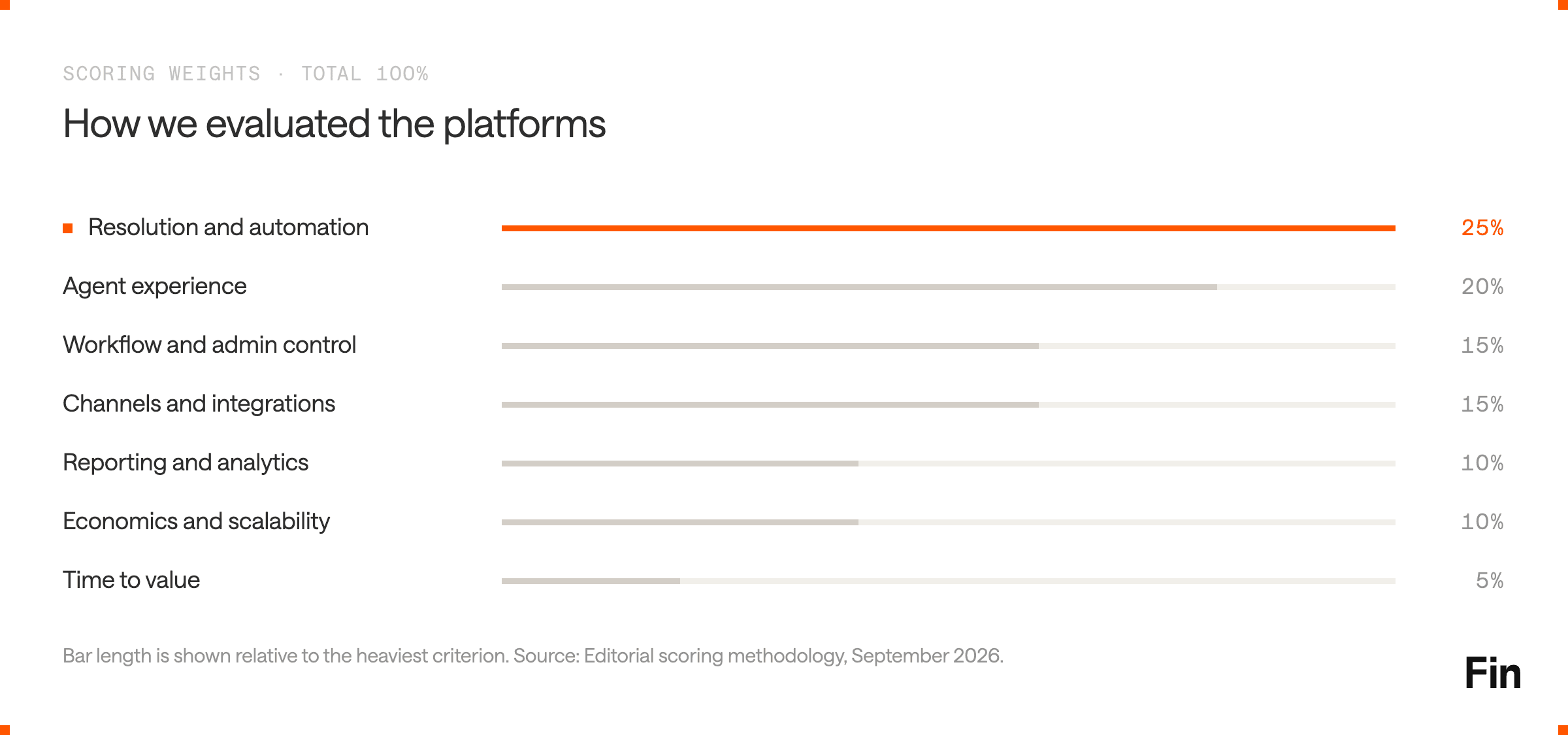
The scores use seven criteria:
| Evaluation area | Weight | What we looked for |
|---|---|---|
| Resolution and automation | 25% | Whether the product can complete customer requests, including actions in other systems, rather than only route tickets or suggest responses |
| Agent experience | 20% | Inbox speed, customer context, collaboration, ticket management, macros, routing, and the learning curve for day-to-day users |
| Workflow and admin control | 15% | How easily support operations teams can configure, test, govern, and update workflows without relying on engineers or consultants |
| Channels and integrations | 15% | Practical coverage across email, chat, phone, social media, messaging, CRM, billing, commerce, and internal tools |
| Reporting and analytics | 10% | Visibility into response times, resolution, ticket volume, customer satisfaction, AI performance, trends, and support-team capacity |
| Economics and scalability | 10% | Seat costs, usage charges, implementation services, admin overhead, and how the pricing model behaves as volume grows |
| Time to value | 5% | Trial availability, setup effort, migration risk, training, and how quickly a team can run a meaningful pilot |
We reviewed current product and pricing information, implementation requirements, AI and automation models, public documentation, and recurring user-review themes. We did not treat vendor claims as equivalent proof. Where a platform reports a resolution rate or customer result, the claim is attributed to that vendor.
The 10 Best Help Desk Software Platforms
1. Intercom: Best Overall Help Desk for AI-First Customer Support
Best for: Customer support teams that want to improve resolution rate, automation rate, customer experience, and cost per resolution in one platform.
Why it ranks first: Intercom is the strongest choice for organizations designing customer support around AI resolution instead of adding AI to a legacy ticket queue. It combines a fast shared inbox, tickets, omnichannel support, a help center, Knowledge Hub, visual workflows, reporting, and Fin AI Agent in the same system.
That native combination matters. Fin handles frontline customer conversations and actions, then hands unresolved or sensitive issues to human agents with the customer context intact. The help desk is not left managing two separate operating models, sets of rules, or reporting systems.
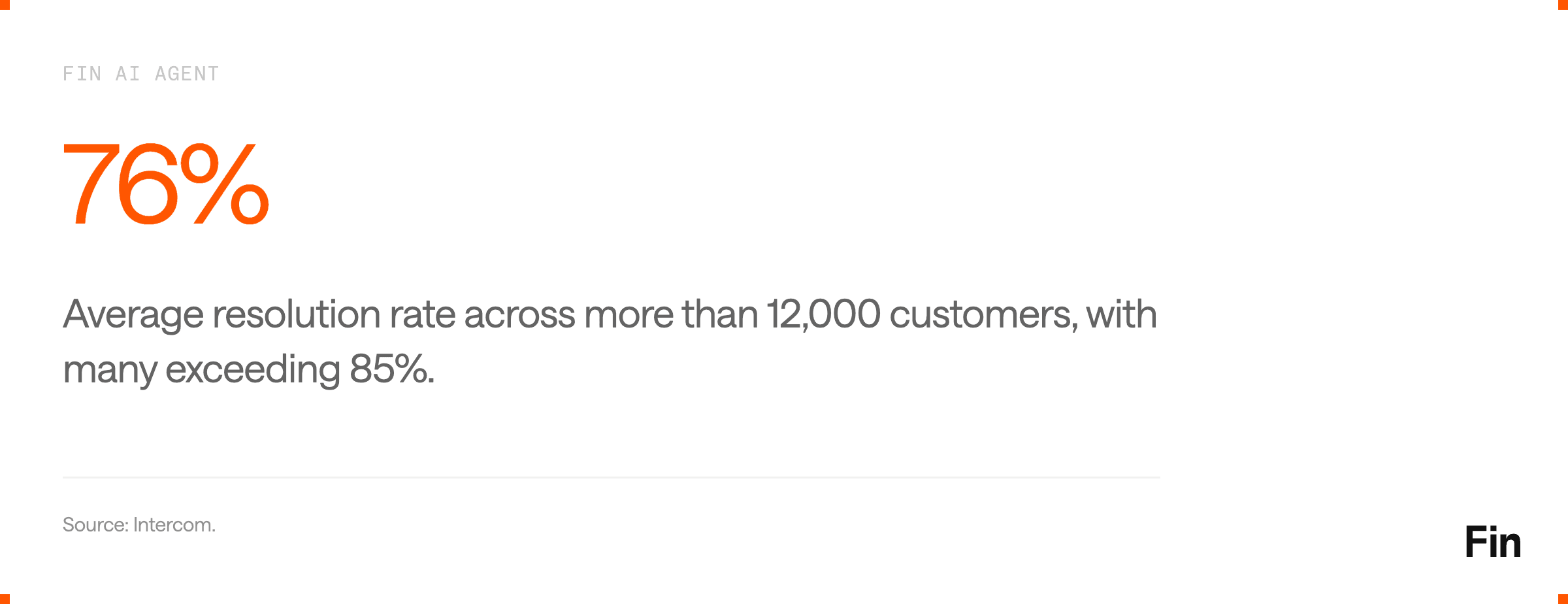
Fin reports an average resolution rate of 76% across more than 12,000 customers, with many customers exceeding 85%. It can answer questions, troubleshoot issues, update accounts, process refunds, and complete other multi-step procedures in connected systems. Intercom's human support interface then gives agents customer history, internal collaboration, tickets, routing, SLAs, macros, and real-time performance data.
Standout features
- Fin AI Agent: Resolves customer queries across chat, email, phone, social, Slack, and other channels. It uses knowledge, customer data, business rules, and connected actions rather than relying on a standalone chatbot flow.
- Procedures and data connectors: Support teams can define controlled processes for tasks such as refunds, account changes, and order management. Fin can read from and write to external systems through integrations, APIs, and connectors.
- AI-enhanced Inbox: A shared workspace for customer conversations, tickets, back-office collaboration, phone support, and escalation. Copilot helps agents find answers and troubleshoot faster.
- Flexible ticketing: Customer tickets can collect structured information while a live conversation continues. Back-office tickets coordinate work with other teams, while tracker tickets keep everyone updated on an issue affecting multiple customers.
- Omnichannel support: Email, live chat, phone, SMS, WhatsApp, and social messaging can route into one inbox. Agents do not have to rebuild customer context at every channel change.
- Knowledge and quality management: Knowledge Hub centralizes content for AI, agents, and customers. CX Score, Topics, reporting, testing, and observability tools help teams identify weak answers, emerging issues, and opportunities to improve automation.
- No-code workflows: Support operations teams can build routing, assignment, escalation, and service-level workflows through a visual interface.
- Integrations: Intercom supports more than 350 integrations, including Salesforce, Slack, Jira, Shopify, and other systems, plus APIs for custom integration work.
Pros
- AI and human support share one architecture, which reduces handoff friction and fragmented reporting.
- Strong resolution capability for both informational questions and multi-step actions.
- Modern, keyboard-friendly agent interface with clear customer context.
- Support teams can configure and test much of the system without waiting on engineering.
- Outcome-based AI pricing makes the automation cost easy to connect to business value.
- Strong fit for SaaS, fintech, ecommerce, gaming, and other digital-first businesses.
Cons
- Intercom is not designed for IT asset management, configuration databases, or formal change management. IT teams should evaluate ITSM software instead.
- Total cost includes both seats and usage, so buyers need realistic forecasts for Fin outcomes, phone, SMS, WhatsApp, and optional add-ons.
- Some enterprise features, including advanced identity controls, SLAs, HIPAA support, and multibrand capabilities, sit on the Expert plan.
- Teams moving from a purely email-based ticketing system may need to redesign workflows around conversations, tickets, and AI handoffs.
Pricing and trial
Intercom pricing starts at $29 per seat per month for Essential, $85 for Advanced, and $132 for Expert when billed annually. Fin starts at $0.99 per resolved outcome. The 14-day free trial does not require a credit card and includes Intercom, Fin, and add-ons for evaluation.
The verdict
Choose Intercom if your goal is not simply to give agents a better place to work tickets. Choose it when the operating goal is to resolve more customer issues with AI, give agents better assistance on the rest, and continuously improve both sides of the experience. It is our top overall help desk for customer-facing support in 2026.
2. Salesforce Service Cloud: Best for Enterprises Built on Salesforce
Best for: Large organizations that need customer service, CRM data, approvals, automation, and reporting inside Salesforce.
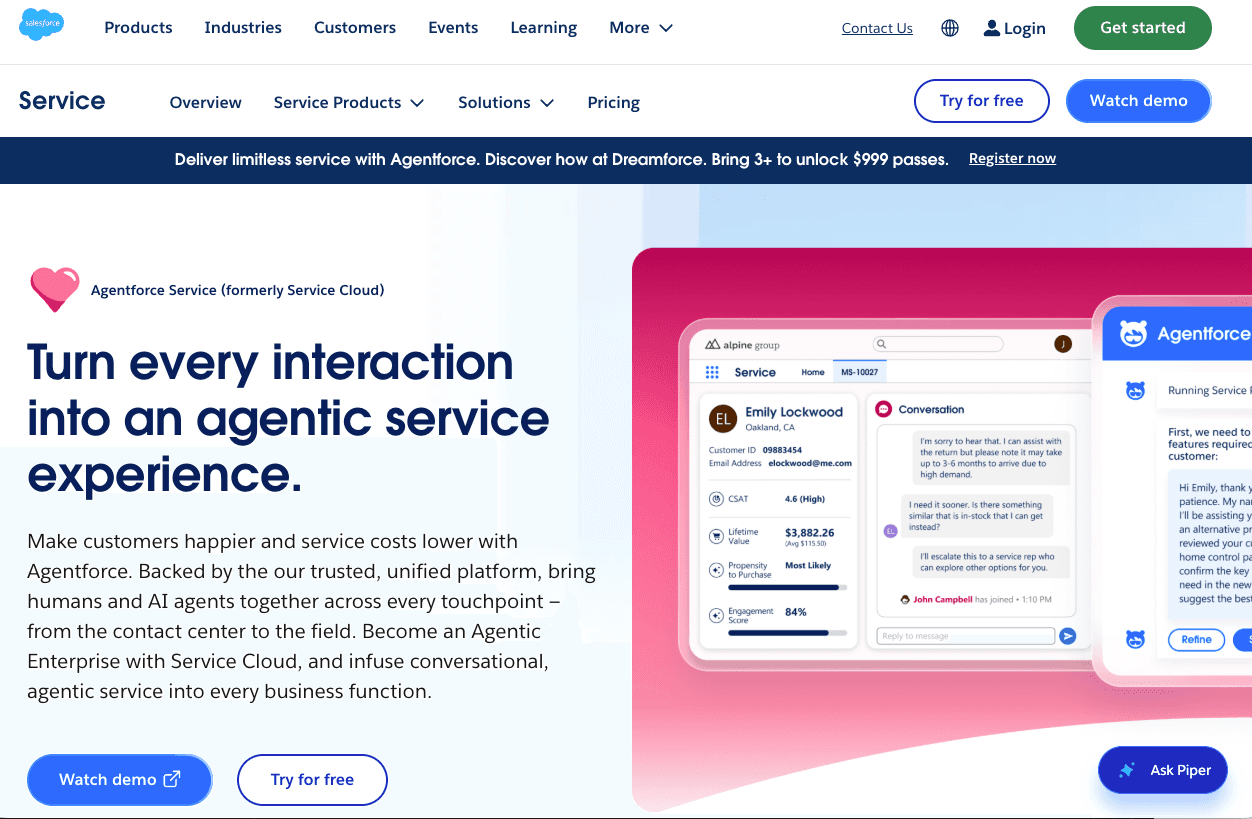
Why it ranks here: Salesforce Service Cloud is less a standalone help desk than an enterprise service layer on the Salesforce platform. Its advantage is context. Support agents can work from the same account, contact, entitlement, contract, order, sales, and customer data used across the business.
That makes Service Cloud compelling when support work crosses departments or relies on a complex CRM data model. A case can trigger Salesforce Flow, update records, route for approval, create follow-up tasks, and connect to other Salesforce products. The cost is ownership complexity. Most serious deployments require administrators, solution design, data governance, and ongoing change management.
Standout features
- CRM-native case management with account, contact, product, order, and lifecycle context.
- Omni-Channel routing, queues, escalation rules, entitlements, milestones, and advanced case management.
- Salesforce Flow for low-code and pro-code business processes across CRM objects.
- Knowledge management, help centers, customer portals, and service catalogs.
- Incident management, order management, asset tracking, and field service options.
- Agentforce for autonomous or assisted service tasks, purchased through credits or higher editions.
- Custom reports, dashboards, Tableau options, and broad enterprise data capabilities.
- AgentExchange, MuleSoft, APIs, and a large implementation ecosystem.
Pros
- Exceptional fit when Salesforce is already the system of record.
- Deep customization across data, permissions, business logic, and cross-functional workflows.
- Strong scalability, governance, security, and partner availability for large organizations.
- Support, sales, marketing, and customer success teams can operate from connected data.
- Fin can also run inside Service Cloud for teams that want to retain Salesforce while using a specialized customer AI agent.
Cons
- High license prices are only part of the total cost. Implementation, administration, integration, data work, and success plans can be material.
- Many useful capabilities are add-ons or reserved for higher editions.
- The interface and data model can feel heavy for a support team with straightforward customer conversations.
- Time to value depends heavily on the quality of the Salesforce implementation and the internal admin team.
Pricing and trial
Salesforce Service pricing starts at $25 per user per month for Starter Suite and $100 for Pro Suite. The current dedicated service editions are listed at $195 per user per month for Core, $395 for Advanced, and $550 for Max, billed annually. Salesforce offers a 30-day trial. Buyers should model Agentforce credits, knowledge access, digital engagement, voice, success plans, and implementation separately.
The verdict
Choose Salesforce Service Cloud when the support process is inseparable from Salesforce data and enterprise workflows. Do not choose it because it has the most possible features. Choose it because using another system would create a more expensive integration and governance problem.
3. Zendesk: Best for Mature Ticketing Operations
Best for: Established customer service organizations that want a familiar, scalable ticketing system with detailed queue, routing, SLA, and administration controls.
Why it ranks here: Zendesk remains the reference point for traditional help desk software. It has a broad product suite, a large integration marketplace, mature ticket workflows, omnichannel routing, knowledge management, reporting, AI agents, and workforce tools.
The core operating model is ticket-first. That is a strength for teams that already organize support around forms, fields, queues, views, macros, priorities, and service levels. Zendesk can support a large and complex agent population without forcing a business to reinvent those processes.
Zendesk has also moved beyond basic AI assistance. Its current Suite includes AI agents, knowledge, Action Builder, messaging, live chat, and telephony. Higher plans add Admin Copilot, skills-based routing, intelligent triage, approval workflows, and a sandbox.
Standout features
- Mature email and ticketing with custom fields, views, forms, triggers, macros, and escalation rules.
- Omnichannel routing based on agent status, capacity, skills, and ticket priority.
- Messaging, live chat, social channels, and native telephony in the broader Suite.
- AI agents and Action Builder for automated resolutions and multi-step actions.
- Knowledge base tools that support customers, agents, and AI responses.
- Reporting and analytics across ticket volume, response times, resolution, and agent performance.
- Large app marketplace and APIs for CRM, billing, collaboration, and custom systems.
- Workforce management, quality assurance, and contact-center options for larger operations.
Pros
- Proven ticketing foundation that can support highly structured support teams.
- Broad ecosystem of apps, integration partners, administrators, and implementation services.
- Flexible routing and workflow configuration for many common service models.
- Agents and managers can find familiar operational metrics and queue controls.
- Viable for a wide range of business sizes, from basic email support to global service organizations.
Cons
- The product can become expensive as a team moves from basic Support into Suite, Copilot, workforce tools, contact center, and AI usage.
- Deep customization creates admin overhead. Mature Zendesk environments often need dedicated ownership.
- A ticket-first data model can encourage teams to optimize queue movement rather than end-to-end customer resolution.
- Buyers should test how AI agents, Copilot, and legacy automations work together in real workflows instead of assuming every AI feature is native to the base plan.
Pricing and trial
Zendesk pricing starts at $19 per agent per month for Support Team when paid annually. Suite Team starts at $55, and Suite Professional starts at $115. Copilot is listed as a $50 per-agent monthly add-on. Zendesk offers a 14-day free trial.
The verdict
Zendesk is a safe shortlist choice when the help desk must handle complex ticket routing across many human agents and teams. Intercom has the edge for an AI-first resolution model. Zendesk has the edge when a business wants to preserve a deeply established, ticket-centered operating system.
4. Freshdesk: Best Mid-Market Balance of Capability and Ownership
Best for: Growing support teams that need serious ticketing, automation, AI, and reporting without a heavyweight enterprise rollout.
Why it ranks here: Freshdesk is one of the strongest general-purpose alternatives to Intercom and Zendesk. It covers the basics well, including a shared inbox, ticketing, customer portal, knowledge base, routing, SLAs, collaboration, and analytics. It also gives businesses a clearer progression from core help desk tools to Freddy AI Agent, Copilot, and Insights.
The platform's appeal is balance. It is easier for many teams to adopt than Salesforce or ServiceNow, but it goes further than lightweight inbox tools. The main buying challenge is packaging. The features that mature support teams care about, such as intelligent routing, multiple SLA policies, custom reports, sandbox testing, and AI insights, sit on higher plans or add-ons.
Standout features
- Ticketing and shared inbox with assignment, prioritization, threads, linked tasks, and a customer portal.
- Freddy AI Agent Studio for building, testing, deploying, and monitoring AI agents.
- Email AI Agent for multi-turn email responses and automated resolution.
- Freddy AI Copilot for response assistance, summarization, translation, sentiment, and solution suggestions.
- Custom dashboards, root-cause analysis, and conversational reporting through Freddy AI Insights.
- Multiple SLA policies, skill-based routing, multilingual support, and external collaborators.
- Connector apps for external systems and workflow automation.
Pros
- Strong breadth for the price, particularly for a mid-market support team.
- More approachable setup and administration than many enterprise service platforms.
- Good combination of ticket management, knowledge base, automation, and reporting.
- AI Agent Studio provides a defined place to build, test, and improve automation.
- Free trial makes it practical to evaluate agent and admin workflows with real tickets.
Cons
- Buyers can underestimate total cost if they compare only the Growth seat price and ignore AI sessions, Copilot, connector tasks, and the plan required for advanced routing or analytics.
- Some of the best operational controls sit on Pro or Enterprise.
- Businesses with a complex custom data model may outgrow the platform's flexibility before they outgrow its ticket volume.
- Freshdesk, Freshchat, Freshservice, and other Freshworks products can create packaging questions during evaluation.
Pricing and trial
Freshdesk pricing starts at $19 per agent per month for Growth, $55 for Pro, and $89 for Enterprise when billed annually. Freddy AI Agent includes an initial 500 sessions per account, after which additional sessions are listed at $49 per 100. Freddy AI Copilot is $29 per agent per month on eligible plans. A free trial is available.
The verdict
Freshdesk is a sensible default shortlist option for a mid-sized support operation. It is not the strongest product in every category, but it combines enough depth, usability, and economic flexibility to fit a wide range of teams.
5. Gorgias: Best Ecommerce Help Desk
Best for: Ecommerce businesses that want customer support connected directly to product, order, shipping, return, and revenue data.
Why it ranks here: Ecommerce support has a distinct workflow. Agents spend much of their day answering order-status questions, changing orders, processing refunds, explaining return policies, and responding on social media. Gorgias is built around that reality, particularly for Shopify brands.
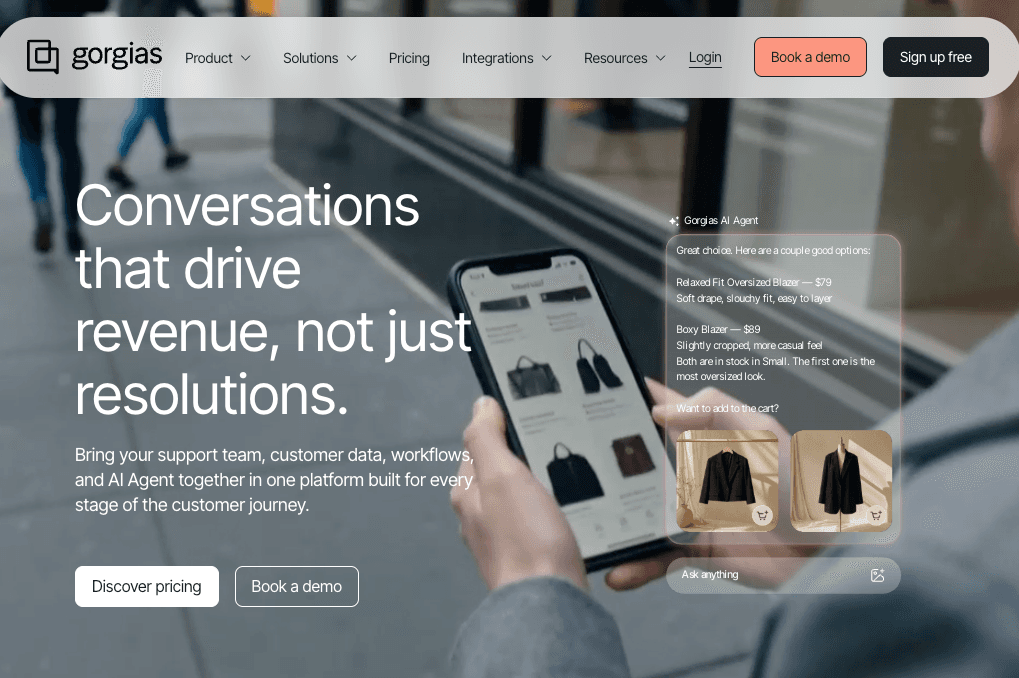
Its help desk brings email, chat, social, SMS, and voice conversations together with commerce context. Agents can work on an order without moving between as many systems. AI Agent and automation tools can handle common questions and actions. Revenue attribution also gives businesses a view of how support conversations influence sales.
Standout features
- Deep integrations with Shopify, BigCommerce, Magento, WooCommerce, Loop Returns, Recharge, Yotpo, and other commerce tools.
- Customer and order details in the help desk interface.
- Rules, macros, Flows, and order-management automation for repetitive ecommerce issues.
- AI Agent for support and shopping assistance across email and chat.
- Social media support for Instagram, Facebook, and other high-volume ecommerce channels.
- Revenue reporting that connects customer conversations to conversion and retention outcomes.
- Optional phone and SMS products.
Pros
- Stronger out-of-the-box ecommerce context than most general help desk software.
- Agents can resolve common order issues without constant app switching.
- Pricing is based on ticket volume rather than the number of agents, which can work well for larger teams with controlled volume.
- Good alignment between support, customer experience, and sales-assist use cases.
- Ecommerce-specific integrations reduce the amount of custom implementation required.
Cons
- The product is much less differentiated outside ecommerce.
- Volume-based pricing can become difficult to forecast during seasonal ticket spikes.
- Gorgias documentation states that a help desk ticket fee and an AI automation fee can both apply when AI Agent fully resolves a ticket. Buyers should model both units.
- Voice and SMS are separate add-ons, and each has its own usage logic.
- Teams with B2B account structures, complex technical support, or formal IT service needs may find the data model too commerce-specific.
Pricing and trial
Gorgias pricing is based on the number of billable tickets, with public plans designed for volumes from 50 to 5,000 tickets per month. AI Agent adds an outcome-based automation fee. Voice and SMS are separate. Gorgias offers a free trial.
The verdict
Gorgias should be on the shortlist for a Shopify-first business. Its value comes from reducing context switching and shortening ecommerce workflows, not from beating every general help desk feature for feature.
6. Help Scout: Best for Smaller Teams That Want Simplicity
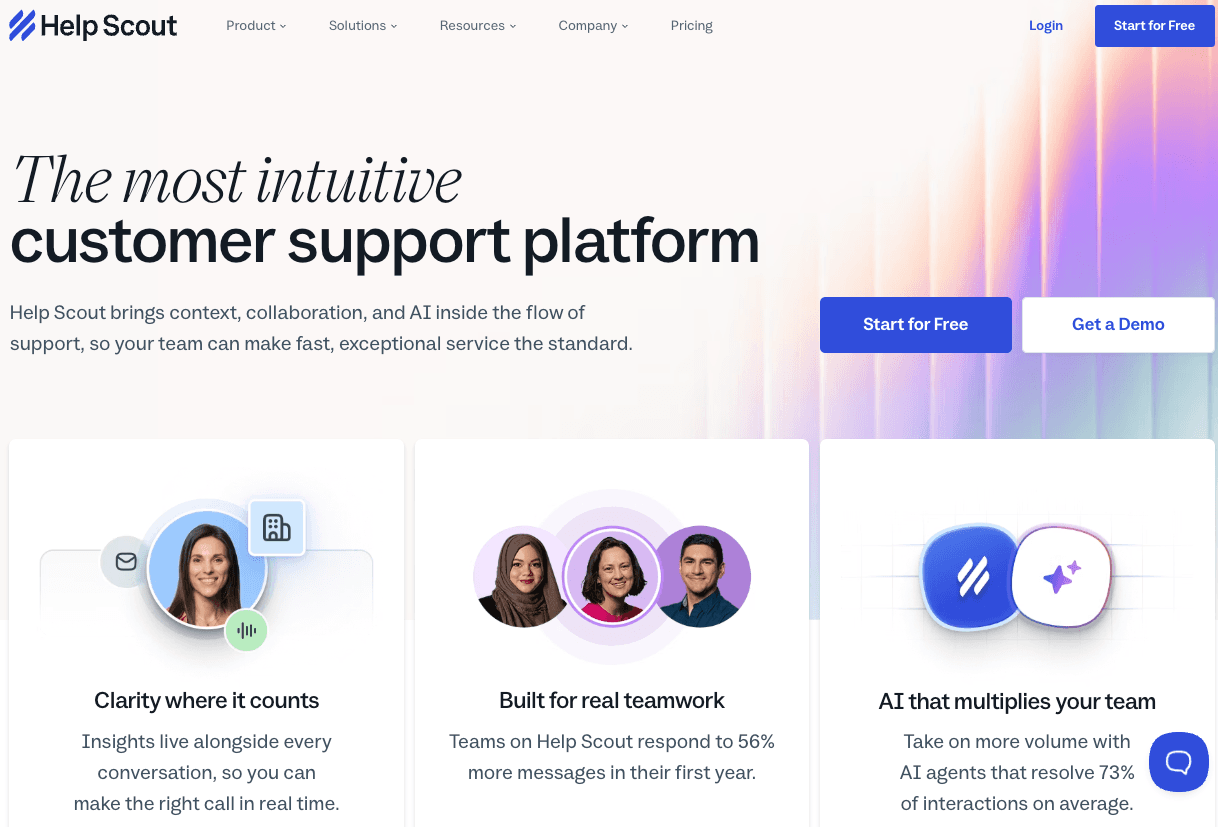
Best for: Email-led customer support teams that value a clean agent experience, fast adoption, and a personal tone.
Why it ranks here: Help Scout has resisted the temptation to turn every support interaction into a dense enterprise process. Its core product remains straightforward: shared inboxes, a knowledge base, live channels, customer context, workflows, and reporting in an interface that is easy for a support team to learn.
The platform has become more capable without abandoning that focus. Current plans include live chat, SMS, WhatsApp, Instagram, Messenger, SLAs, workflows, round-robin routing, portals, and AI tools. AI Answers adds autonomous resolution at a published per-resolution price.
Standout features
- Shared inboxes for collaborative email and customer conversations.
- Docs knowledge base and self-service help center.
- Beacon for in-context help, chat, and customer contact.
- AI Inbox assistant, AI Drafts, summaries, and translation.
- AI Answers for automated resolution with human escalation available.
- Workflows, SLAs, round-robin routing, saved replies, and customer portals.
- Integrations with Salesforce, Jira, HubSpot, Aircall, and other business tools on eligible plans.
Pros
- Low learning curve for agents and managers.
- The interface keeps customer communication feeling like a conversation rather than a case-management exercise.
- Clear public pricing for seats and AI resolutions.
- Strong fit for smaller SaaS companies, professional services, education, and other email-heavy teams.
- Enough workflow and channel capability to support growth beyond a basic shared inbox.
Cons
- Reporting, permissions, routing, and workflow depth are lighter than Zendesk, Salesforce, or ServiceNow.
- Teams with many departments, brands, queues, or complex escalation paths may reach the platform's limits.
- Standard includes only a basic SLA policy; more advanced controls require higher plans.
- It is not intended for incident management, change management, or IT asset workflows.
Pricing and trial
Help Scout pricing starts at $25 per user per month for Standard, $45 for Plus, and $75 for Pro. AI Answers costs $0.75 per resolution. Help Scout offers a free trial.
The verdict
Help Scout is a good choice when simplicity is an operating advantage. If the support model is primarily email, knowledge, and human conversation, buying a more complicated platform can create work rather than remove it.
7. HubSpot Service Hub: Best for HubSpot CRM Customers
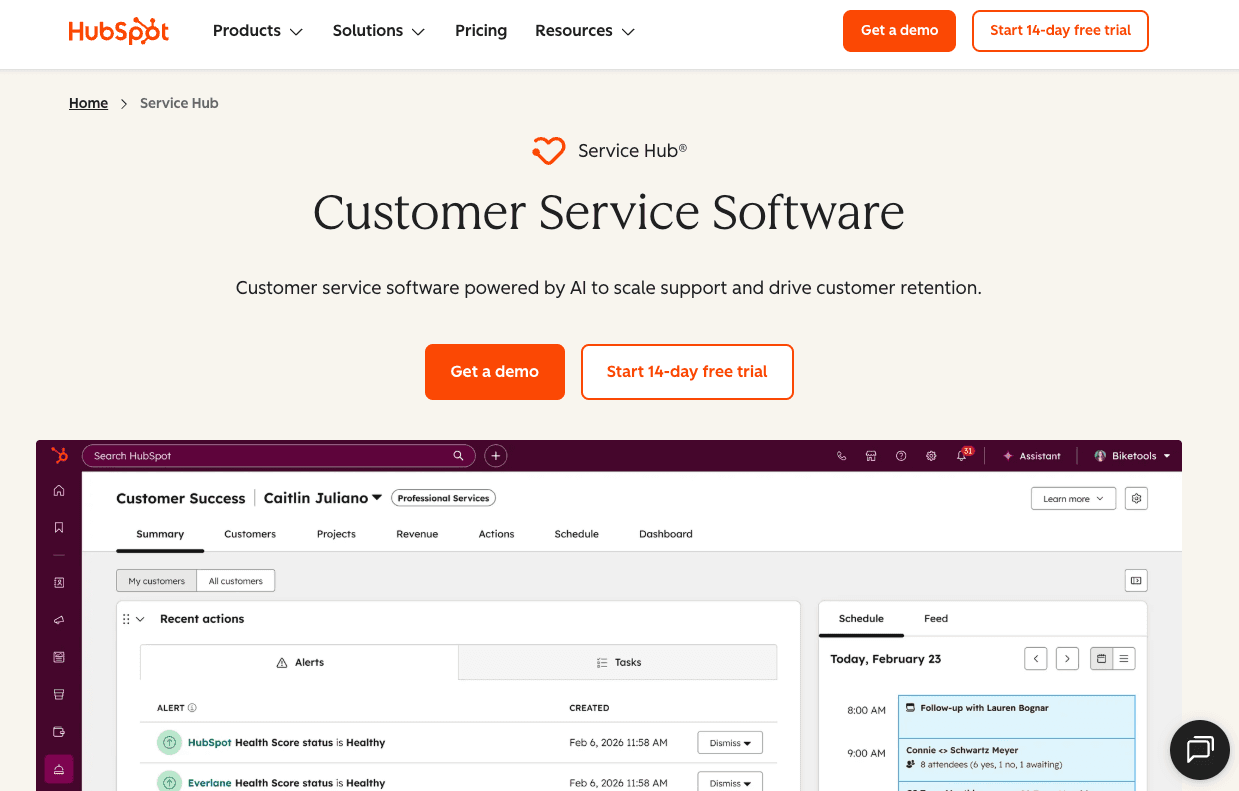
Best for: Small and mid-sized businesses that want customer service, customer success, marketing, and sales data in HubSpot.
Why it ranks here: HubSpot Service Hub's strongest feature is not ticketing in isolation. It is the connection between support activity and HubSpot's CRM. Agents can see the customer, company, lifecycle, sales, marketing, and service context in the same platform.
That makes HubSpot attractive to businesses already using its customer platform. Help desk tickets can feed retention workflows, health scores, feedback surveys, and account activity. Customer Agent adds AI resolution using HubSpot Credits. The main caveat is that the free and Starter tiers do not represent the full help desk. Advanced routing, SLAs, service analytics, knowledge, customer success features, and AI use generally point buyers toward Professional or Enterprise.
Standout features
- CRM-native tickets, customer history, and account context.
- Help Desk Workspace with macros, spaces, routing, and custom channels on higher plans.
- Customer Agent for automated responses and resolution, powered by HubSpot Credits.
- Knowledge base, customer portal, live chat, WhatsApp, Messenger, calling, and feedback tools.
- Customer success workspace, health scores, projects, NPS, CES, and CSAT surveys.
- Reporting dashboards, service analytics, and customer journey analytics.
- More than 2,000 apps and web services in the broader HubSpot ecosystem.
Pros
- Strong alignment between support, customer success, sales, and marketing.
- Familiar interface for existing HubSpot users.
- Free tools provide a low-risk way to test basic ticketing and live chat.
- Customer and revenue context can make support reporting more commercially useful.
- Credit-based AI pricing gives teams a shared unit across HubSpot's AI tools.
Cons
- The most useful help desk features are concentrated in Professional and Enterprise.
- Professional has a required $1,500 onboarding fee, while Enterprise lists a $3,500 onboarding fee.
- Credit consumption adds another cost model for teams already paying by seat.
- Businesses that do not use HubSpot CRM lose much of the platform's advantage.
- Very complex support operations may find Zendesk, Salesforce, or Intercom more purpose-built.
Pricing and trial
HubSpot Service Hub pricing includes free tools, Starter from $7 per seat per month on the annual term shown, Professional from $90 per seat per month, and Enterprise from $150. Customer Agent uses 50 HubSpot Credits per resolved conversation. Additional credits are listed at $9 per 1,000 on annual billing. Professional and Enterprise include a 14-day unlimited Customer Agent trial when at least one eligible Service seat is purchased.
The verdict
Choose HubSpot Service Hub when keeping service inside HubSpot creates real operational value. If your teams already live in HubSpot, the integrated customer view may outweigh gaps in pure help desk depth.
8. Zoho Desk: Best Value in the Zoho Ecosystem
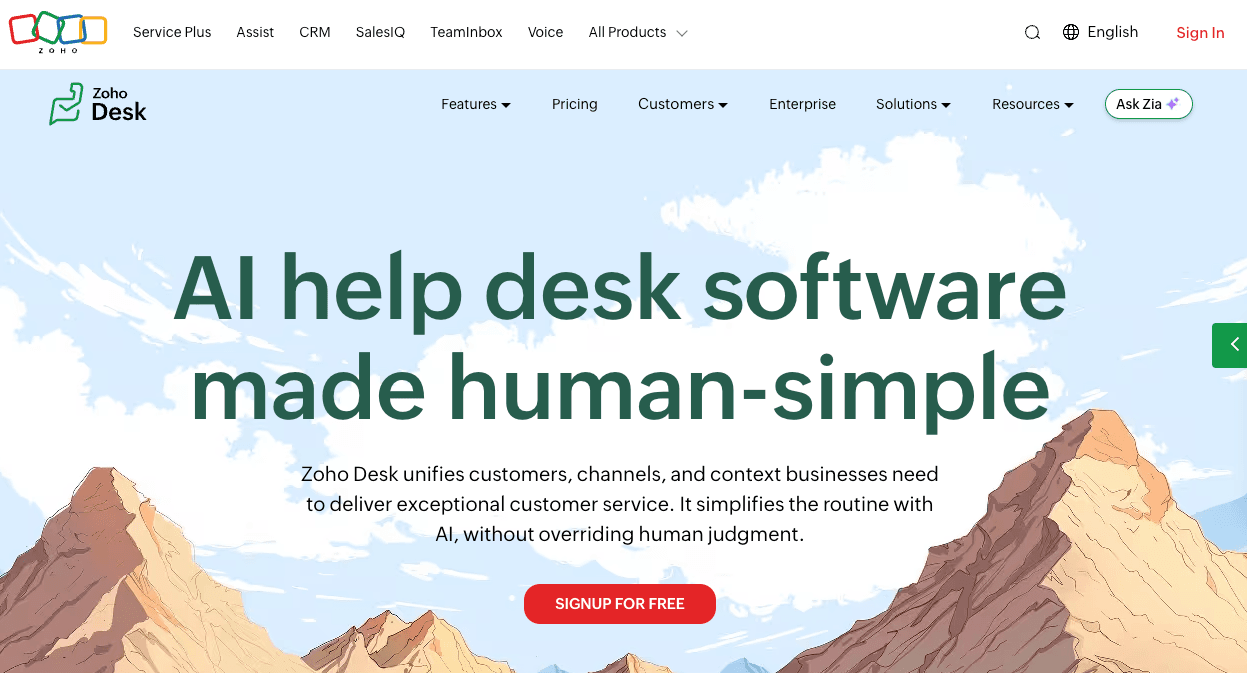
Best for: Cost-conscious support teams that want broad ticketing and omnichannel capabilities, especially if the business already uses Zoho apps.
Why it ranks here: Zoho Desk offers a remarkable amount of help desk functionality for its price. It covers email tickets, social media, messaging, knowledge, SLAs, automation, telephony integrations, multidepartment support, customer satisfaction, reports, and AI across a wide range of plans.
Zoho's Blueprint feature is particularly useful for organizations that need agents to follow a defined sequence of steps. Zia adds ticket predictions, sentiment, response assistance, summaries, anomaly detection, and autonomous agents on higher tiers.
Standout features
- Email ticketing, comments, ticket history, merge and split controls, and parent-child tickets.
- Social media and messaging support across WhatsApp, Instagram, Facebook Messenger, Telegram, WeChat, and LINE on eligible plans.
- Workflow rules, macros, time-based rules, custom functions, and Blueprint process automation.
- Direct, round-robin, and skill-based ticket routing.
- SLAs, multilevel escalations, business hours, and contract-related service controls.
- Zia AI for prediction, sentiment, summarization, writing assistance, and knowledge-based responses.
- Zia Agent Studio and prebuilt support agents on the Enterprise plan in supported regions.
- Knowledge bases, self-service portals, communities, and multibrand help centers.
Pros
- Strong feature-to-price ratio.
- Free plan for up to three users and a 15-day trial without a credit card.
- Good fit for businesses that already use Zoho CRM, SalesIQ, Analytics, or other Zoho products.
- Process controls are deeper than buyers may expect from a value-focused tool.
- Broad channel and localization options for internationally distributed support teams.
Cons
- Important capabilities are distributed across several tiers and Zoho products, which makes plan comparison more involved.
- The interface is functional but can feel less cohesive than more focused support platforms.
- Native AI agent availability varies by plan and data-center region.
- Advanced configuration can still require Zoho-specific expertise.
- Buyers should test reporting and integration behavior with their real data rather than relying on the large feature matrix.
Pricing and trial
Zoho Desk pricing includes a free edition for three users and paid Express, Standard, Professional, and Enterprise plans. Pricing varies by region. Zoho offers a 15-day free trial without a credit card.
The verdict
Zoho Desk is one of the best value choices in this market. It is especially compelling when the rest of the business already runs on Zoho and the support team is willing to spend more time configuring the right plan and workflow.
9. Jira Service Management: Best for IT and Engineering Service Teams
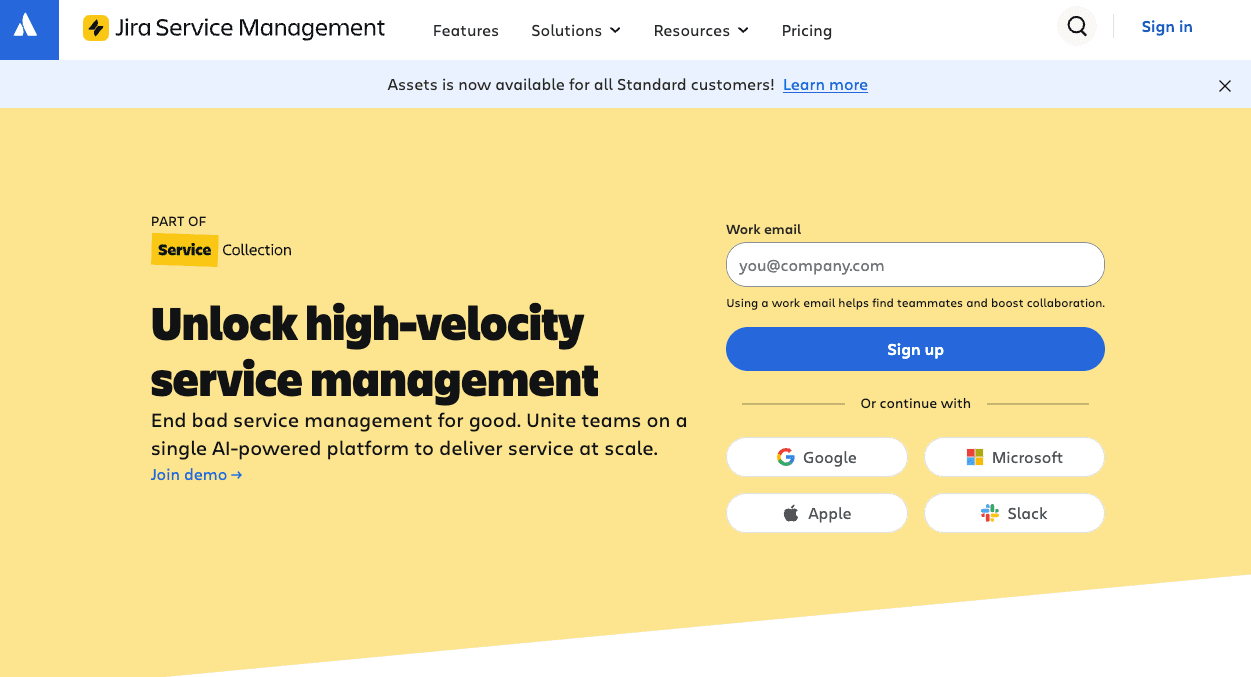
Best for: IT teams, engineering organizations, and internal business functions that manage incidents, service requests, changes, problems, and assets.
Why it ranks here: Jira Service Management belongs in this guide because many buyers search for help desk software when they actually need a service desk. The distinction matters. A customer support help desk focuses on customer conversations and issue resolution. An IT service desk covers a broader service lifecycle, including incidents, changes, assets, access requests, and infrastructure dependencies.
Jira Service Management is particularly strong when the organization already uses Jira and Confluence. Support issues can connect directly to development work, on-call teams, deployment approvals, and knowledge. Atlassian's current Service Collection also brings Jira Service Management together with Customer Service Management, Assets, and Rovo.
Standout features
- Request forms, queues, workflows, automation, customer portals, email, chat, and knowledge.
- Incident alerts, escalation policies, on-call schedules, and real-time monitoring.
- Problem management and post-incident reviews.
- Change management with approval workflows, risk assessment, and CI/CD deployment gates.
- Asset and configuration management with dependency visibility.
- Deep links to Jira, Confluence, Bitbucket, and engineering projects.
- Rovo agents, search, and chat for AI-powered employee support and operations.
- Service-level metrics, reports, and audit logs.
Pros
- Excellent fit for IT support and technical service management.
- Strong connection between service requests, incidents, and engineering work.
- Free plan for three agents and transparent public pricing for Standard and Premium.
- Customers or requesters do not require paid agent licenses.
- Asset, incident, problem, and change capabilities go well beyond a basic ticketing system.
Cons
- The interface and terminology can feel too technical for a customer experience team.
- Customer-facing messaging, sales context, and conversational support are not its primary strengths.
- Configuration can become complex across multiple Jira projects, issue types, workflows, and permissions.
- Premium is required for the virtual service agent and more advanced incident and change-management capabilities.
Pricing and trial
Jira Service Management pricing includes a free plan for three agents. Standard is $20 per agent per month and Premium is $51.42 at the public monthly prices shown for the selected team size. Enterprise is custom. Paid plans include a 14-day free trial.
The verdict
Choose Jira Service Management if your users are reporting incidents, requesting system access, changing infrastructure, or escalating bugs to engineering. Choose a customer support platform if your primary work is managing customer conversations, relationships, and service experiences.
10. ServiceNow Customer Service Management: Best for Complex Enterprise Workflows
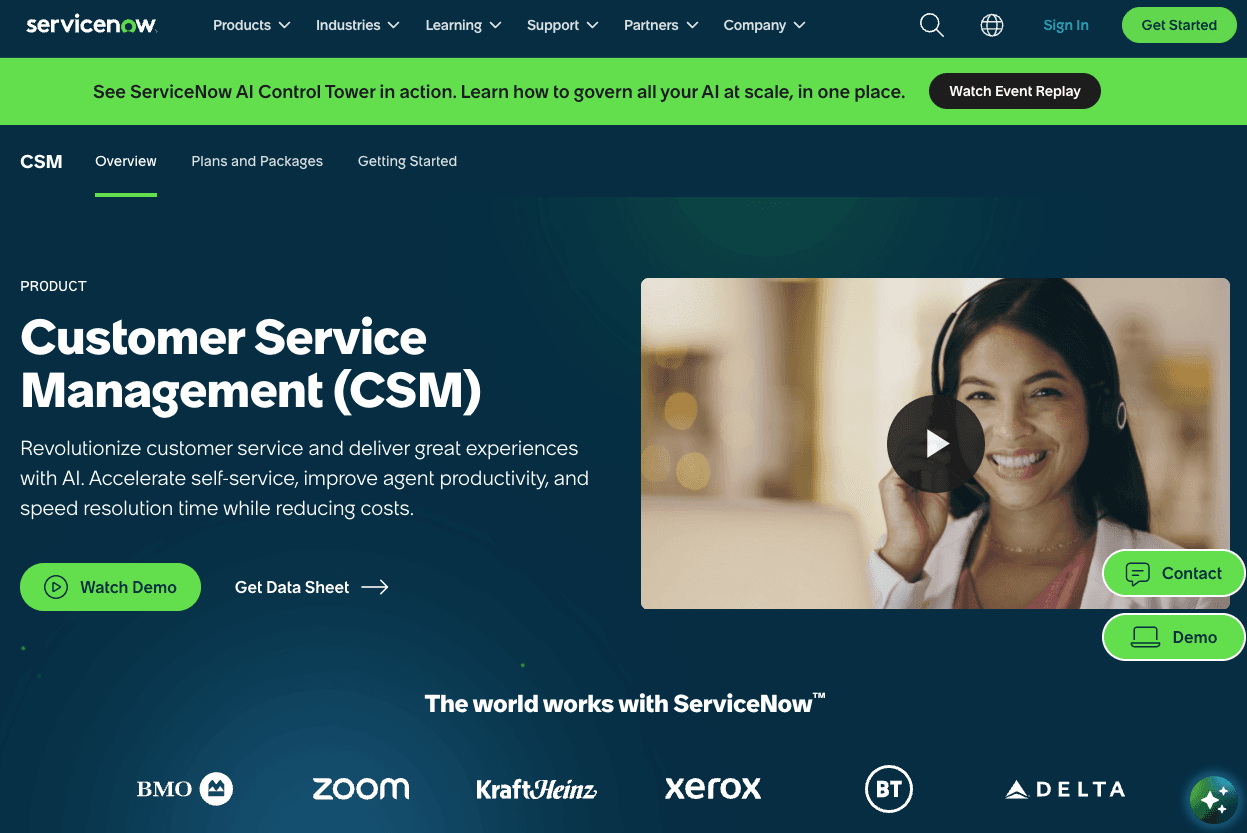
Best for: Large organizations that need customer service connected to enterprise operations, field service, order management, regulated processes, or the broader ServiceNow platform.
Why it ranks here: ServiceNow Customer Service Management is built for service problems that do not end in the inbox. A customer issue may require work across fulfillment, operations, finance, field service, IT, or a third-party service provider. ServiceNow's strength is orchestrating that work through one enterprise platform.
The product connects people, data, processes, cases, and AI agents. It supports self-service, case management, predictive intelligence, workflow automation, and integration with existing contact-center systems. It can be extremely powerful, but the platform's economic and operational weight makes it a poor fit for teams that simply need a modern help desk.
Standout features
- Enterprise case management and cross-functional workflow orchestration.
- AI agents that can gather data, make decisions, take actions, and assist human agents.
- Predictive intelligence for classification, routing, proactive service, and case-volume reduction.
- Self-service portals, knowledge, virtual agents, and customer communities.
- Integration with field service, order management, IT operations, and other ServiceNow products.
- Support for existing contact-center investments rather than requiring immediate replacement.
- Real-time visibility, performance analytics, and process mining.
- Strong governance, security, and enterprise platform controls.
Pros
- One of the deepest options for cross-enterprise service processes.
- Strong fit for organizations already using ServiceNow for IT, HR, security, or operations.
- Can connect customer issues to the operational teams and assets responsible for resolution.
- Extensive customization and workflow capability.
- Designed for enterprise governance, scale, and complex organizational structures.
Cons
- High implementation cost and long time to value compared with customer support help desks.
- Usually requires specialists, partners, or a dedicated platform team to administer.
- The interface and process model can be excessive for a straightforward support organization.
- Custom pricing makes early cost comparison difficult.
- Customization can become technical debt if governance is weak.
Pricing and trial
ServiceNow CSM uses custom pricing. ServiceNow offers demos and works through direct sales and implementation partners. Buyers should request a total-cost model that includes licenses, implementation services, integration work, environments, platform ownership, and future changes.
The verdict
ServiceNow is the right choice when customer service must orchestrate the enterprise. It is the wrong choice when the problem can be solved with a simpler inbox, ticketing system, knowledge base, and automation layer.
Other Help Desk Tools Worth Considering
The following products did not make the top 10 because they are either narrower, overlap heavily with a stronger pick, or fit a more specific operating model. They are still credible options.
| Tool | Consider it when | Why it is not in the main ranking |
|---|---|---|
| Front | Multiple teams need to collaborate in shared email and messaging inboxes | Front is an excellent collaborative inbox, but its automation and service-management depth are lighter than the leading full help desks. Its Professional plan is now the realistic starting point for omnichannel support. |
| Gladly | A large retail or B2C brand wants a lifelong customer conversation and commerce-oriented AI | Gladly's customer-centric timeline is differentiated, but its 2026 positioning is increasingly focused on agentic commerce rather than the broad help desk market. |
| Kustomer | A consumer brand needs a flexible customer timeline and conversational CRM | Kustomer is strong for unified customer context, but the implementation and data-model advantages matter most for a narrower group of B2C businesses. |
| HappyFox | A support team wants a conventional ticketing tool with multiple pricing options | HappyFox has solid workflow and ticket-management capabilities, but it is less differentiated than the top general-purpose products. |
| LiveAgent | An SMB needs email, live chat, social, and phone support at a controlled price | It offers broad channel coverage, but the interface, analytics, and AI platform are less advanced than the leading products. |
| Hiver | A small team wants to manage support from Gmail or Outlook | It is easy to adopt for email-led work, but it is not the best choice for complex omnichannel service operations. |
| Pylon | A B2B support team works heavily in Slack, Microsoft Teams, shared channels, and account-based workflows | Pylon is purpose-built for B2B support, but its focus is narrower than the customer service platforms in the main ranking. |
| ManageEngine ServiceDesk Plus | An IT team wants ITSM, asset management, and deployment options at a lower cost than ServiceNow | It is a credible IT service desk, but Jira Service Management provides a stronger general recommendation for teams connecting IT and engineering work. |
What Is Help Desk Software?
Help desk software is a system for receiving, organizing, assigning, tracking, and resolving requests from customers or internal users. It typically converts messages from email, chat, forms, phone, social media, and self-service portals into structured conversations or tickets.
A modern help desk may include:
- A shared inbox and ticketing system
- Ticket routing, prioritization, ownership, and escalation
- SLAs and response-time tracking
- Live chat, messaging, email, social media, and phone support
- A public and internal knowledge base
- Self-service portals and customer communities
- AI agents, chatbots, copilots, and workflow automation
- Customer data, CRM context, and app integrations
- Reporting tools for volume, performance, resolution, and satisfaction
The category overlaps with customer service platforms, CRM software, collaborative inboxes, contact centers, and IT service management. That is why two tools called a help desk can have very different capabilities.
Help Desk vs. Ticketing System vs. Service Desk
These terms are often used as if they mean the same thing. They do not.
| Category | Primary job | Typical work | Best-fit products |
|---|---|---|---|
| Ticketing system | Turn requests into trackable work | Email tickets, ownership, status, priority, replies | Zendesk Support, Freshdesk, Zoho Desk |
| Customer support help desk | Manage and resolve customer conversations across channels | Product questions, troubleshooting, account issues, refunds, escalations | Intercom, Zendesk Suite, Help Scout, Gorgias |
| CRM-native service platform | Connect service to the full customer record | Cases, renewals, sales context, customer health, cross-functional actions | Salesforce Service Cloud, HubSpot Service Hub |
| IT service desk | Manage the lifecycle of IT services | Incidents, problems, changes, access, devices, assets, service requests | Jira Service Management, ServiceNow ITSM, ManageEngine |
| Collaborative inbox | Coordinate customer communication across teams | Shared email, assignment, internal comments, drafts | Front, Hiver, Missive |
PeopleCert's ITIL guidance describes the service desk as the central point of contact between a service provider and its users. IBM makes the distinction that a help desk is primarily focused on fixing issues, while an IT service desk manages a broader service lifecycle.
For a buyer, the practical question is simple: are you managing customer conversations, or are you managing services and infrastructure? If it is both, you may need two connected systems rather than one compromised choice.
The Help Desk Features That Matter Most in 2026
AI that resolves issues autonomously
Almost every vendor now has AI features. The label tells you very little. Some products summarize a ticket or draft a response. Others can retrieve trusted information, reason through a problem, update an external system, and complete the customer request.
Ask vendors to separate four capabilities:
- Assistance: Drafting, summarization, translation, and suggested answers for human agents.
- Triage: Classification, prioritization, routing, and intent detection.
- Self-service: Answering a question from a knowledge base without agent involvement.
- Resolution: Completing the customer's work, including actions in other systems, without a human taking over.
The fourth category has the greatest economic impact. It is also the one that requires the most testing, controls, and observability.
Ticket and conversation management
Customers do not care whether their problem is stored as a ticket, case, or conversation. Support teams do care because the data model shapes the workflow.
A good system should provide clear ownership, status, priority, internal notes, collision detection, search, linked tasks, and a complete customer history. It should also handle the cases that do not fit neatly into one conversation, such as a product incident affecting hundreds of users or a request that needs a back-office team.
Routing and workload management
Routing should account for channel, language, priority, customer tier, issue type, agent skills, capacity, and service level. Round-robin assignment is enough for a small team. At scale, support leaders need rules that keep urgent or high-value issues from falling through the cracks.
Evaluate what happens when everyone is at capacity, an agent goes offline, a ticket is reopened, or an issue changes category. Those edge cases reveal more than the happy-path demo.
Knowledge management
The knowledge base now serves three users: customers, human agents, and AI agents. That increases the need for permissions, versioning, content ownership, feedback, and reporting.
Look for a system that can identify gaps, flag outdated information, show which answers perform well, and separate internal knowledge from public content. If AI uses multiple sources, confirm how the platform selects, cites, and prioritizes them.
Omnichannel support
Omnichannel does not simply mean a vendor lists email, chat, phone, and social media on a pricing page. It means customer identity, history, routing, automation, and reporting remain consistent when the channel changes.
Test a real journey. Start a question in chat, continue it by email, escalate it to phone, then inspect what the agent and customer can see. Many platforms are multichannel. Fewer deliver a coherent omnichannel experience.
Reporting, analytics, and AI visibility
Basic reports show ticket volume, first response time, time to resolution, and CSAT. Stronger platforms also show backlog health, workload, repeat contacts, reason for contact, resolution quality, automation rate, handoff rate, and cost per resolution.
AI introduces another reporting layer. Teams need visibility into what the AI answered, which knowledge it used, what action it took, why it handed off, how the customer responded, and what should change. A resolution number without auditability is not enough.
Integrations and customer context
A long integration directory is not the same as a useful integration. The question is whether an agent or AI can access the right data and take the right action at the moment of resolution.
For SaaS, that may mean account permissions, subscriptions, and product telemetry. For ecommerce, it is orders, inventory, returns, and payments. For B2B businesses, it includes CRM accounts, contracts, entitlements, and customer health. For IT support, it includes assets, services, incidents, and infrastructure dependencies.
How to Choose Help Desk Software Like an Operator
1. Map the work before looking at tools
Take a representative sample of recent customer requests and classify them by issue, channel, complexity, required data, required action, and resolution path.
| Work type | Example | Capability required |
|---|---|---|
| Knowledge answer | “How do I change my password?” | Accurate retrieval, self-service, AI answer |
| Customer-specific answer | “When will my order arrive?” | Identity, order integration, contextual response |
| Controlled action | “Cancel my subscription at the end of the month” | Authentication, business rules, system write, confirmation |
| Multi-step workflow | “Refund one item but keep the rest of the order” | Reasoning, procedure, approvals, exception handling |
| Human judgment | “I am considering leaving because of repeated outages” | Routing, account context, empathy, retention workflow |
| Incident | “The app is down for our entire company” | Incident linking, mass updates, engineering escalation |
This exercise exposes the real requirements. A team with 70% repeatable order questions needs a different product from a team managing enterprise software incidents.
2. Establish current performance and economics
Record the baseline before running a trial:
- Ticket or conversation volume by channel
- First response time and time to resolution
- Resolution rate and repeat-contact rate
- Automation rate and AI handoff rate
- Backlog, reopen rate, and SLA attainment
- CSAT or another customer satisfaction measure
- Agent capacity and average handle time
- Fully loaded support cost
- Cost per resolution
The most useful economic formula is:
Cost per resolution = total support operating cost ÷ successfully resolved customer issues
Include seats, AI usage, phone and messaging charges, management, support operations, outsourced services, software integrations, and admin time. A cheap license can produce an expensive resolution if the team still performs most work manually.
3. Run a proof of concept on real conversations
Do not evaluate AI with ten handpicked FAQs. Use at least a few hundred anonymized conversations across common, complex, and high-risk issues. Include unclear customer language, incomplete data, policy exceptions, angry customers, multilingual questions, and known knowledge gaps.
Score each platform on:
- Correct and complete resolution
- Safe refusal or escalation
- Customer effort
- Handoff quality and retained context
- Action accuracy in connected systems
- Response time and latency
- Tone and brand alignment
- Ease of correcting the system
- Reporting and auditability
4. Test the agent interface under pressure
Have experienced agents work from the tool for several days. Watch for keyboard speed, search quality, threading, duplicate responses, customer context, internal collaboration, bulk actions, ticket routing, and what happens when volume spikes.
The interface is not cosmetic. If every ticket takes 20 seconds longer because agents are opening tabs or hunting for data, the productivity cost compounds across the year.
5. Test admin ownership and change management
Ask the person who will own the system to build a workflow, change a routing rule, update AI guidance, publish knowledge, run a test, investigate a bad response, and roll back a change.
Then ask what required engineering, a vendor ticket, professional services, or a certified administrator. Ease of ownership determines how quickly the support operation can improve after launch.
6. Model total cost at three volumes
Calculate cost at current volume, 50% growth, and a seasonal or incident-driven spike. Include:
- Full and light users
- AI resolutions, sessions, credits, or outcomes
- Phone, SMS, WhatsApp, and social messaging
- Knowledge, reporting, quality, and workforce add-ons
- Sandboxes, security, and compliance tiers
- Onboarding, migration, and integration services
- Internal admin and engineering time
- Overage rates and contract minimums
Pricing models behave differently. Per-seat software gets more expensive as the human team grows. Per-ticket software gets more expensive as volume grows. Per-resolution AI gets more expensive as automation succeeds, but should lower the blended cost of support. The right comparison is total cost per resolved issue.
7. Check the exit cost
Ask how to export conversations, tickets, attachments, users, knowledge, reports, and configuration. Review API limits, data formats, retention, and deletion. A help desk becomes operational infrastructure. The ability to leave is part of the product's long-term value.
Common Help Desk Buying Mistakes
Buying for the demo instead of the operating model
A polished chatbot or dashboard can distract from the daily work. Start with the types of issues, teams, systems, and actions the platform must support.
Comparing headline prices
A $19 ticketing plan, a $25 CRM suite, and a $0.99 AI outcome are different units. Normalize each option into an annual model that includes agents, usage, add-ons, services, and internal ownership.
Treating all automation as resolution
Routing a ticket, suggesting a reply, and resolving a customer problem are not equivalent. Measure how much human work remains after the automation runs.
Ignoring knowledge readiness
AI exposes content problems quickly. Conflicting policies, outdated help articles, and undocumented exception handling will lower performance in any platform.
Underestimating integration work
A connector may sync a customer record but not expose the field or action required for resolution. Test the exact read and write behavior the workflow needs.
Over-customizing before launch
Rebuilding every historical queue, status, and report increases cost and delays learning. Start with a smaller set of high-value workflows, then expand based on real performance.
Where Help Desk Software Is Going
The category is moving from ticket management toward customer-resolution systems.
Intercom's 2026 Customer Service Transformation Report, based on 2,470 support professionals, found that 82% of senior leaders had invested in AI for customer service during the prior 12 months, but only 10% of respondents described their deployment as mature. Among mature teams, 87% reported improved metrics after implementing AI, compared with 62% overall.
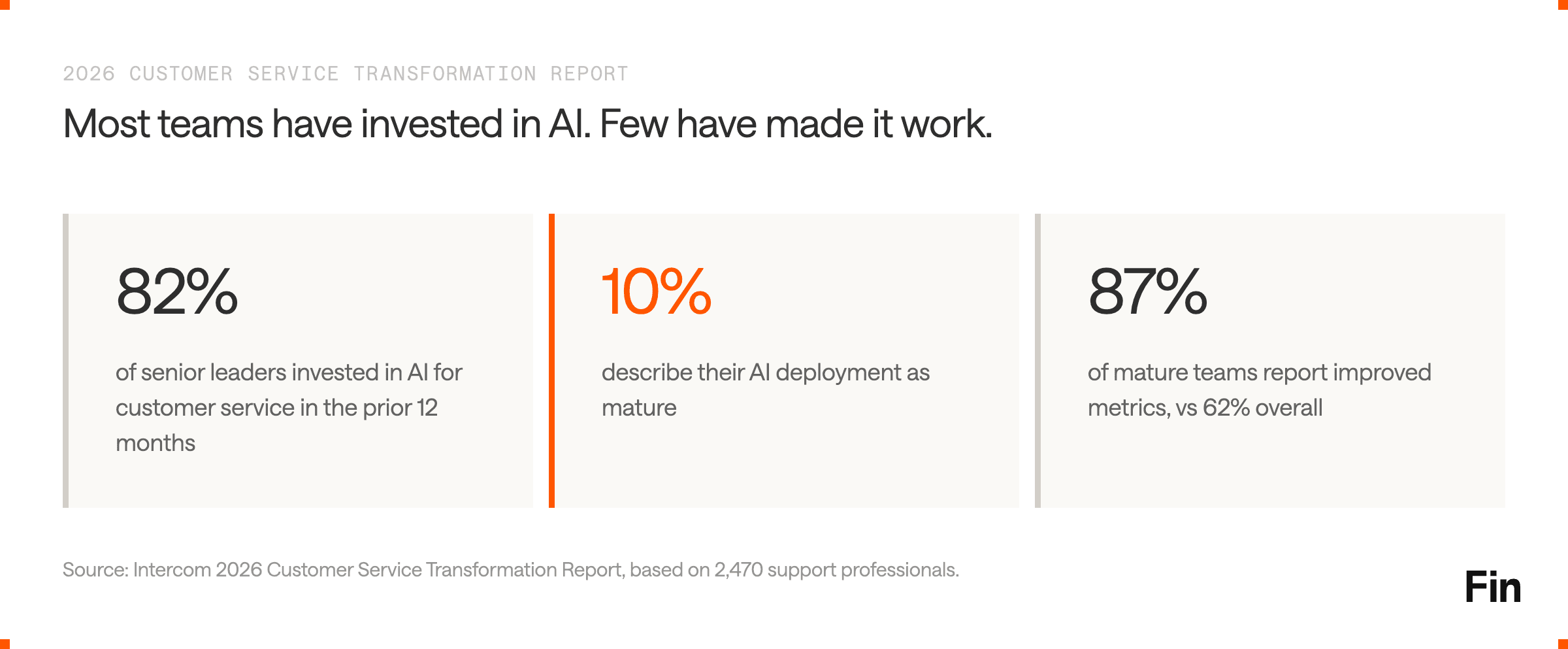
That gap explains the market in 2026. Most tools can now generate a response. The harder work is integrating AI into real workflows, giving it controlled access to customer data and actions, measuring quality, and improving performance over time.
The strongest platforms are converging around five changes:
- From assistance to action: AI agents are moving beyond answers into refunds, account updates, order changes, troubleshooting, and other workflows.
- From ticket counts to resolution economics: Support leaders are paying more attention to resolution rate, automation rate, repeat contacts, cost per resolution, and customer satisfaction.
- From channel tools to one customer context: Chat, email, phone, and social are expected to share identity, history, and business rules.
- From sampled QA to full visibility: AI can evaluate more conversations, identify patterns, and surface quality or compliance risks at scale.
- From static setup to continuous improvement: Knowledge, routing, guidance, testing, and automation need an operating loop, not a one-time implementation project.
Help Desk Software FAQs
What is the best help desk software in 2026?
Intercom is the best overall help desk software for customer-facing support teams in 2026 because it combines Fin AI Agent with a complete human support platform. The right choice still depends on the operating model. Zendesk is strong for mature ticketing operations, Gorgias for ecommerce, Salesforce Service Cloud for Salesforce-centered enterprises, and Jira Service Management for IT teams.
What is the best help desk software for a small business?
Help Scout, Freshdesk, Zoho Desk, and Intercom are strong options for a small business. Help Scout works well for simple email-led support. Freshdesk and Zoho offer accessible entry plans. Intercom is the stronger choice when a small team expects AI to handle a meaningful share of customer conversations as the company scales.
What is the best free help desk software?
Jira Service Management offers a free plan for up to three agents and is best for internal IT support. Zoho Desk offers a free edition for three users. HubSpot provides free service tools that work well for basic CRM-connected ticketing. Free plans are useful for testing, but businesses usually need a paid plan for advanced routing, SLAs, reporting, automation, AI, and multiple channels.
What is the best help desk for ecommerce?
Gorgias is the most focused ecommerce help desk in this guide, particularly for Shopify brands. It brings order data, customer conversations, automation, and commerce integrations together. Intercom is a strong alternative for businesses that want broader customer service, sales, and ecommerce AI capabilities across more use cases.
What is the best help desk for IT teams?
Jira Service Management is the best starting point for many IT and engineering teams because it combines service requests, incidents, changes, assets, knowledge, and development workflows. ServiceNow is more appropriate for very large organizations that need cross-enterprise service management and already have the platform expertise to operate it.
What is the difference between a help desk and a service desk?
A help desk is generally focused on answering questions and resolving support issues. A service desk is broader and manages the lifecycle of services, including incidents, requests, problems, changes, assets, and service levels. Customer support teams usually need a help desk. IT teams often need a service desk or ITSM platform.
How much does help desk software cost?
Entry plans range from free to roughly $25 per agent or user per month, while advanced customer service plans can exceed $100 per seat. Enterprise platforms use custom pricing or start much higher. AI may be priced per resolution, outcome, session, credit, or agent. The full cost also includes implementation, integrations, channels, add-ons, administration, and professional services.
Which help desk features are essential?
The essentials are a shared inbox, ticket management, routing, customer context, knowledge base, workflows, SLAs, reporting, integrations, and the channels your customers use. In 2026, buyers should also evaluate AI resolution, testing, observability, security, and the ability to complete actions in other systems.
How should a business measure help desk ROI?
Track first response time, time to resolution, resolution rate, repeat contacts, automation rate, backlog, SLA performance, customer satisfaction, agent capacity, and cost per resolution. Then measure avoided headcount growth, lower outsourcing costs, improved retention, and revenue influenced by support. The goal is not merely to close more tickets. It is to solve more customer problems at a sustainable cost.
Should customer support and IT use the same help desk?
Usually only if their workflows are genuinely similar. Customer support prioritizes conversations, customer context, omnichannel service, and satisfaction. IT support prioritizes incidents, changes, assets, access, and service catalogs. A connected customer help desk and IT service desk often serve both teams better than one platform forced to do everything.
How long does it take to implement help desk software?
A small team can configure a simple inbox in hours or days. A multi-channel help desk with integrations, knowledge, routing, AI, and reporting may take several weeks. Salesforce and ServiceNow programs can take months when data migration, custom objects, security, and enterprise workflows are involved. Run a narrow pilot before committing to a broad rollout.
Final Recommendation
Choose the product that matches the work, not the category label.
For a customer-facing support team, Intercom is the best overall help desk software in 2026. It gives customers a high-performing AI agent, gives human agents a modern support workspace, and gives leaders the reporting and control to improve resolution, automation, customer satisfaction, and cost over time.
Salesforce Service Cloud is the better choice when service must live in Salesforce. Gorgias is purpose-built for ecommerce. Jira Service Management and ServiceNow belong on the shortlist when the requirement is ITSM or enterprise service orchestration.
Whichever platform you choose, test it with your real conversations, data, workflows, agents, and ticket volumes. That is the only reliable way to see whether a help desk will improve issue resolution or simply give the same work a new interface.
Move from ticket management to customer resolution
Intercom combines an AI-first help desk with Fin, the highest-performing AI Agent for customer service. Fin resolves 76% of customer queries on average, while the Intercom Helpdesk gives agents the context, workflows, and reporting they need to handle everything that remains.
View our Demo or Start a 14-day free trial to deliver faster resolutions, lower your cost per contact, and scale support without scaling headcount.