Announcing Workforce Management: Forecast, schedule, and plan teammate cover in the Intercom helpdesk
With Fin resolving a growing share of your support volume, you need a new way to plan for the work that lands with your team. Workforce Management helps you forecast the right capacity, schedule people's time, and ensure you have enough cover.

We’re announcing new Workforce Management tools inside the Intercom helpdesk that helps you forecast, schedule, and manage your team that works alongside Fin. By excluding the conversations Fin resolves, it helps you accurately plan how many people you need and when to manage your support volume.
Here’s what’s included:
- Forecasting predicts the demand that will reach your team. Workforce management builds forecasts automatically from your own conversation data and excludes everything Fin handles, so you can staff for human-bound volume only.
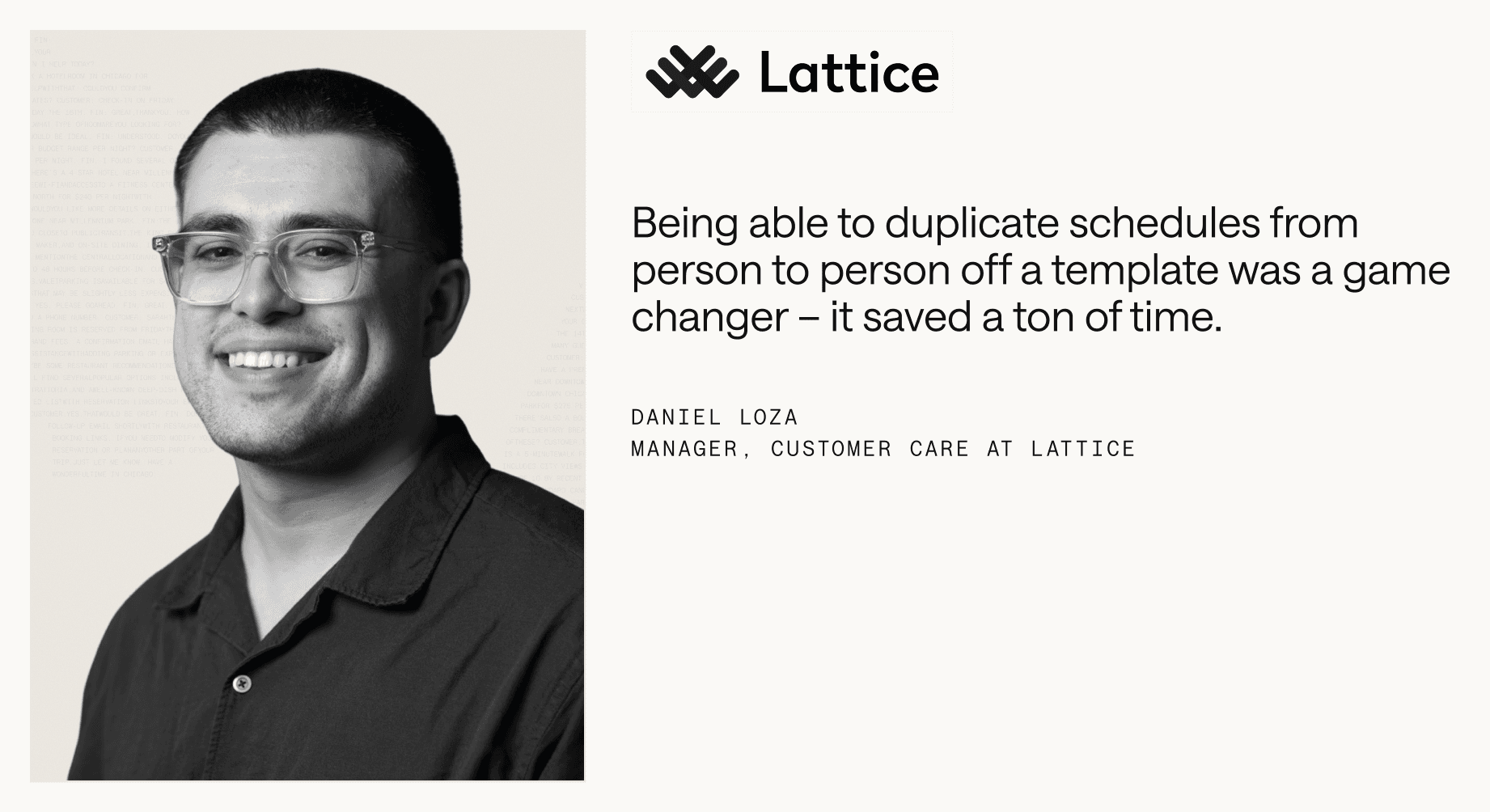
- Scheduling lets you build and maintain your team’s schedule in one place. You can save shift patterns as reusable templates, make changes in a few clicks, and stay in sync with your team’s Google Calendar.
- Teammate Coverage shows where you’re over- or understaffed. You can see scheduled headcount against required staffing, hour by hour, with updates applied automatically as your forecast or schedule changes.
- The Team Performance view gives you insight into how your plan works in reality. It shows whether everyone is working to their schedule and how much time goes to meetings, breaks, and time off, all calculated from their status in Intercom.
Why we built this
Before AI Agents, capacity planning used to involve forecasting incoming volume, then working out how many people you needed to handle it.
With an Agent like Fin now handling a growing share of queries, reliably estimating the volume that reaches your team becomes harder. Fin resolves 76% of queries on average, and for many teams, this percentage increases every week as they improve their content and expand what Fin can do. This means the volume that reaches your human reps fluctuates in a way that’s much harder to predict.
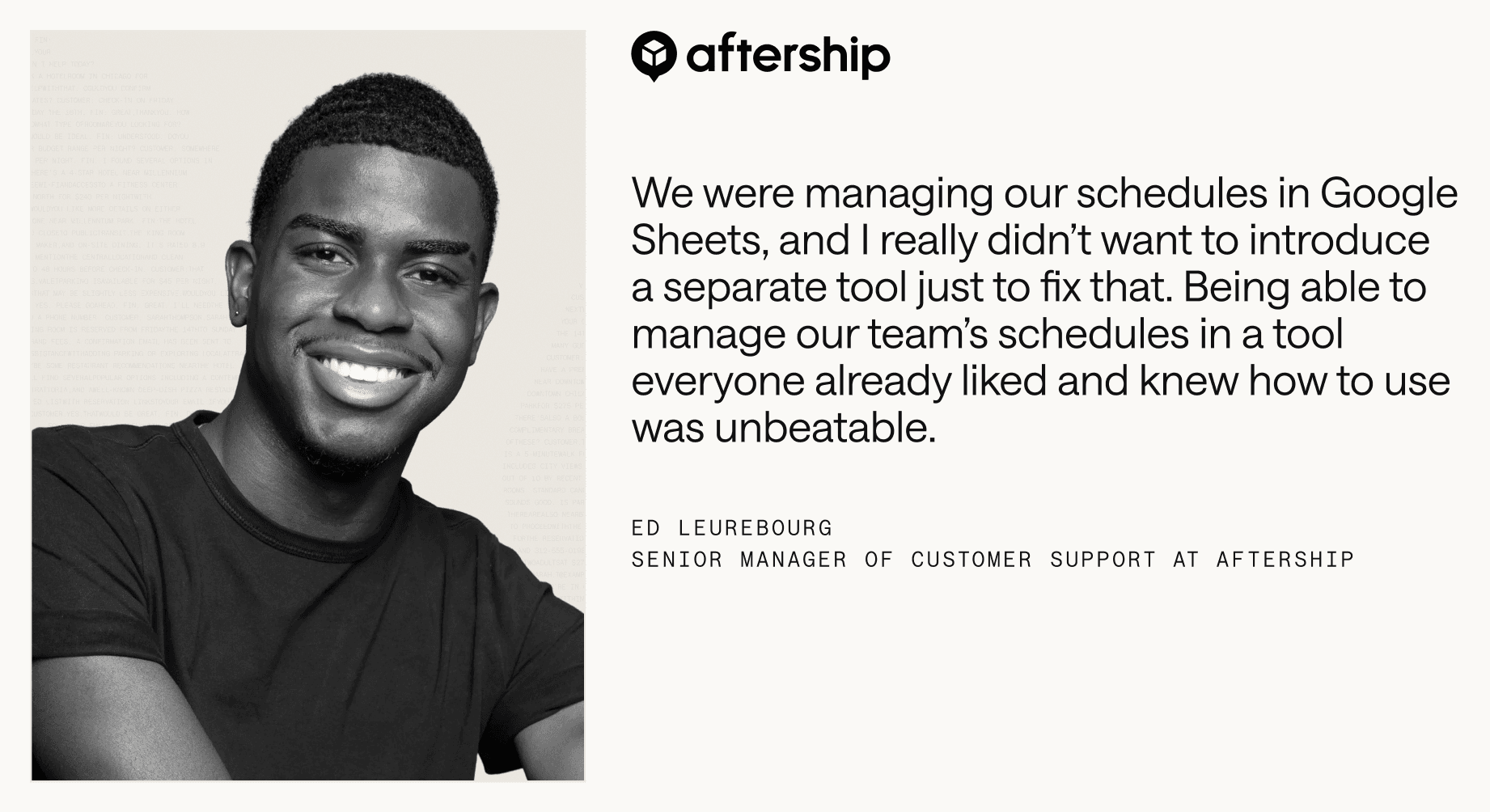
Many teams use spreadsheets as a way to estimate and keep track of what’s landing with their human reps. But without an integration with their Agent, it’s a slow, difficult process that’s hard to get right and maintain at scale.
That’s why we built Workforce Management into the Intercom helpdesk. Working through the same platform as Fin, you get a simpler way to make sure the right number of people are available at the right time because the data you need to plan for human-specific work is immediately available and up to date.
How it works
Forecasting: See the demand that will reach your team
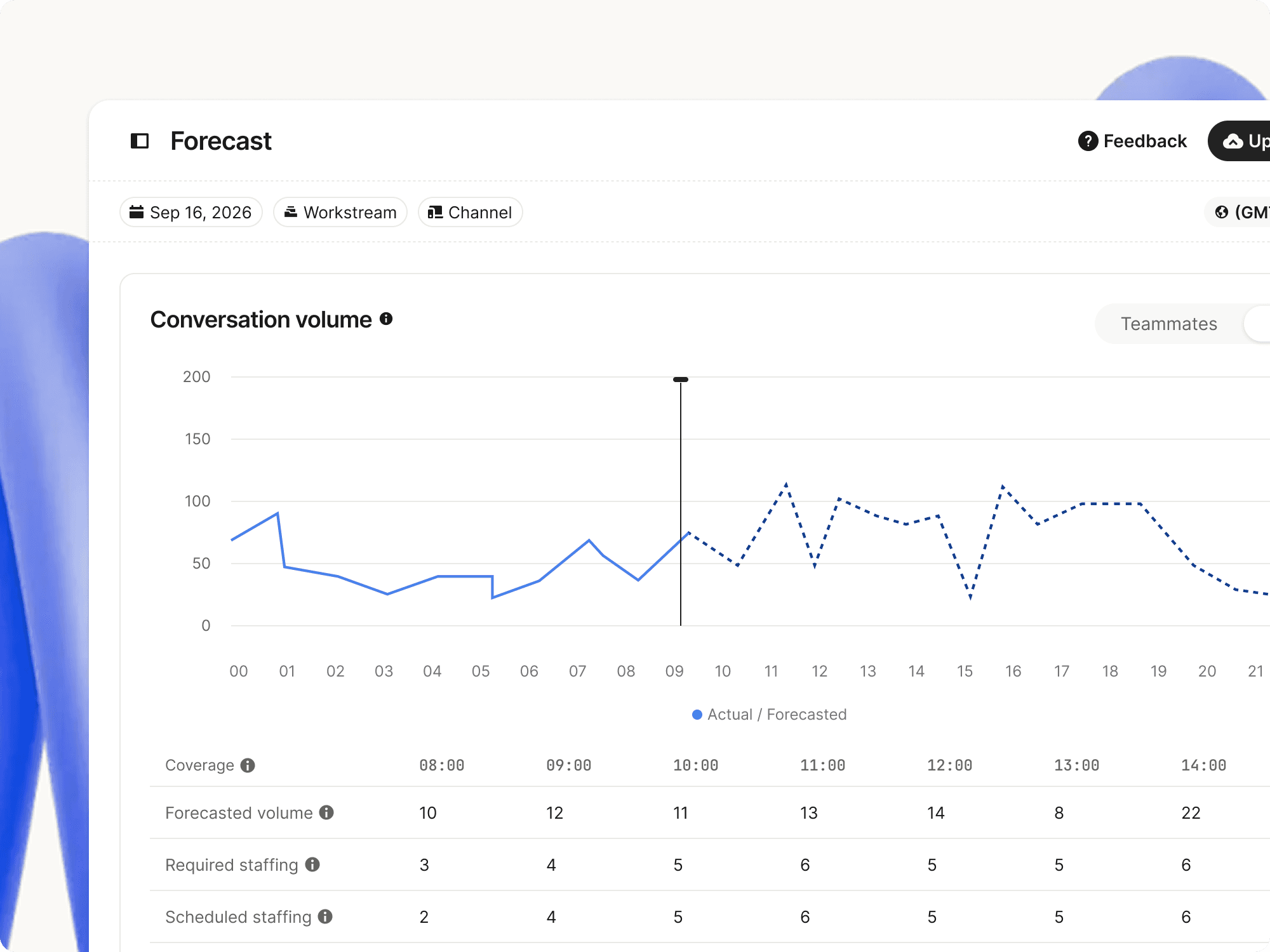
Forecasting allows you to plan for the conversations that will reach your team, with everything Fin handles taken out. It shows you actual volume to date alongside predicted volume ahead, so the number you plan around is human-bound demand only.
The forecast builds automatically from your last eight weeks of conversation data, with no integration setup needed.
You also have full control over the future forecast. If you know something it doesn’t, like an upcoming launch or a seasonal spike, you can export it, adjust it, and re-import it as a CSV. Or, you can upload your own numbers and use those instead. In both cases, all your staffing calculations, including over- and understaffing, work around your figures in one system.
Scheduling: Build an up-to-date schedule quickly
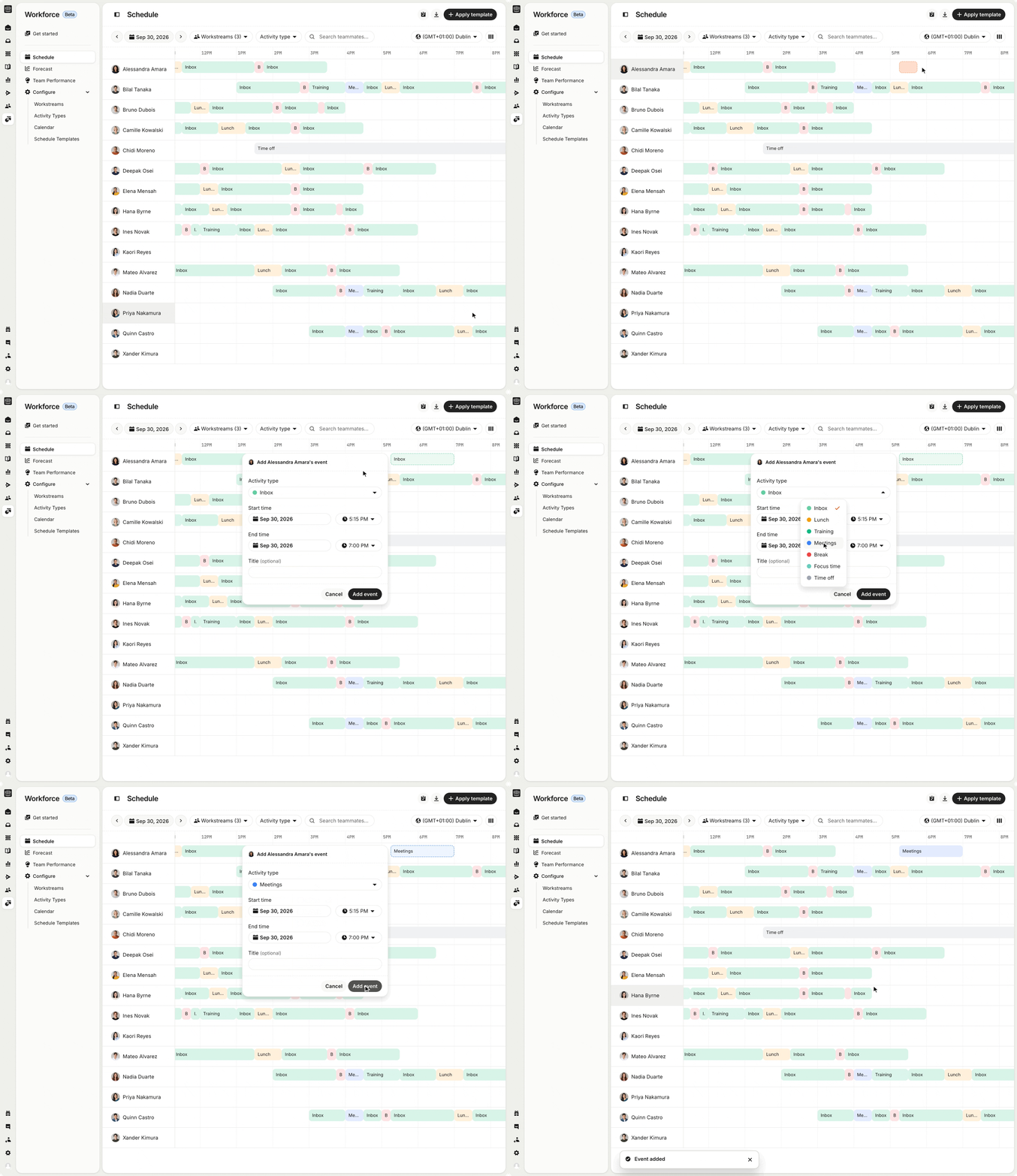
Scheduling gives you one place to build and maintain your team’s schedule. You can save a shift pattern once as a template and reuse it every week. If something changes, like a sick day, you can drop the event onto a teammate’s row. Scheduling syncs across both Intercom and Google Calendar, so when you make a change in one place, it updates in both views. Pre-booked meetings and PTO also show up in the schedule automatically, ensuring the plan accurately reflects your team’s availability.
Teammate Coverage: Plan your headcount to match demand
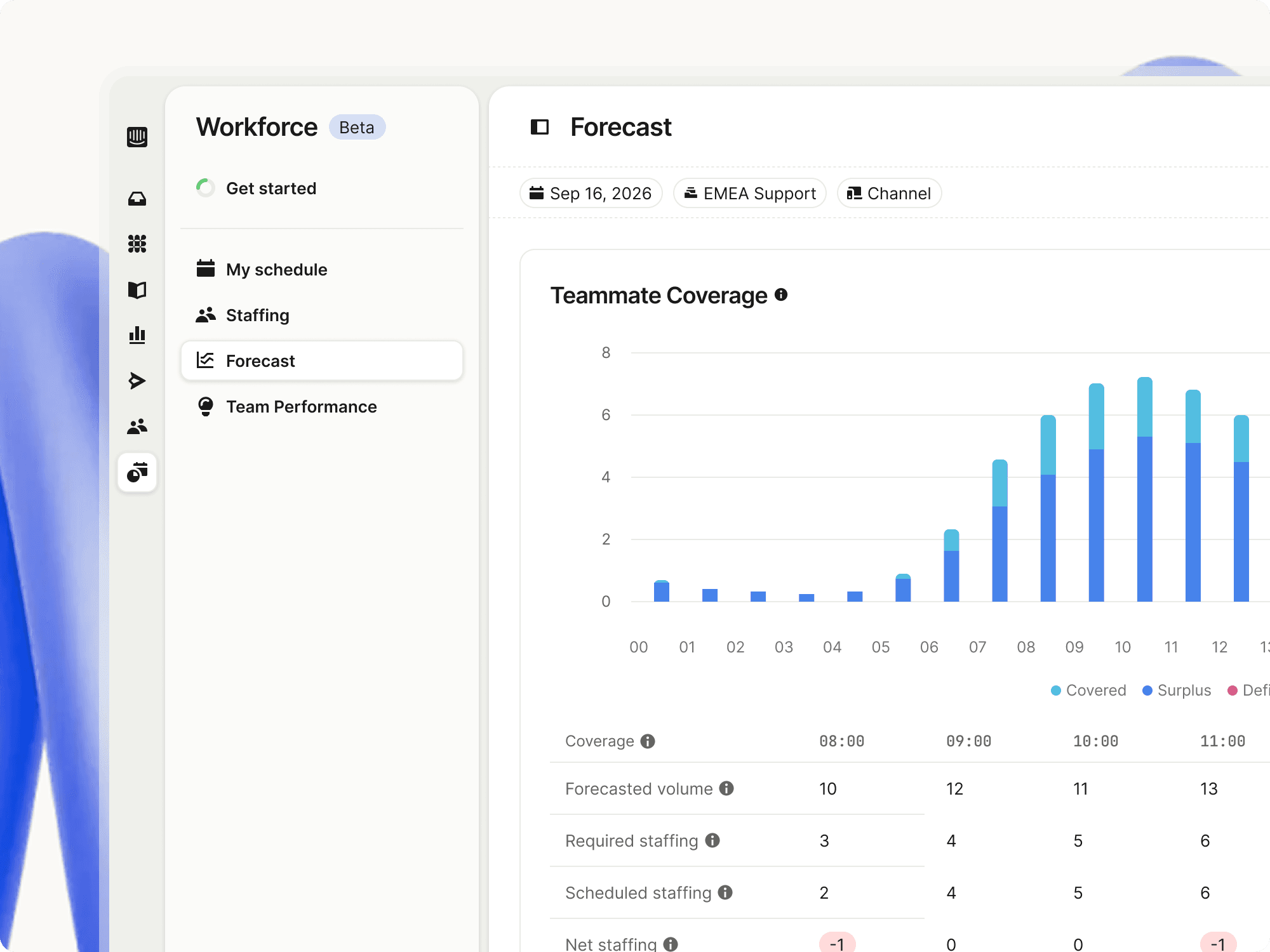
Teammate Coverage maps scheduled headcount against required staffing, hour by hour, so you can see where you’re over- or understaffed before the queue fills up. To make sure you know exactly who’s working when, you can filter by day, week, workstream, or channel. It updates automatically whenever your forecast or schedule changes, so you’re always working with the most up-to-date information.
Team Performance: Track how well your plan holds up
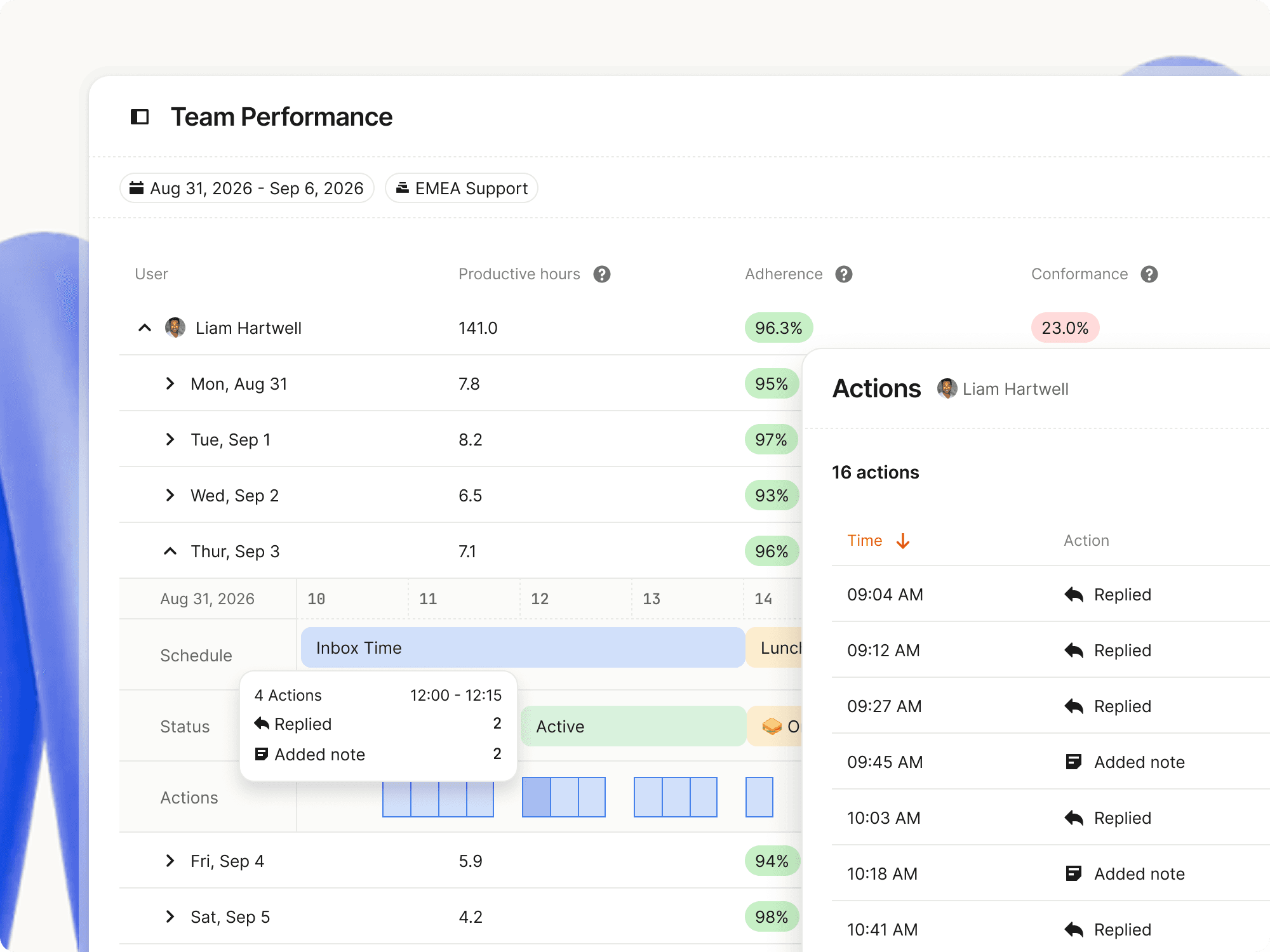
Team Performance gives you visibility into how well your team delivers against their planned responsibilities with individual scorecards for adherence, conformance, and shrinkage.
Drill into any day to see what was scheduled and the actual activity that took place. Away reasons like “on lunch” and “in a meeting” surface automatically, and key inbox actions like replies and notes show up on the timeline, allowing you to see what someone was doing, not just that they were online. Everything is calculated from work your team does in Intercom, so nothing has to be logged manually.
Team Performance shows how your plan played out in reality, so you can make improvements to the schedule in your next planning cycle. For example, if you notice that some teammates spent longer than expected working through complex issues on one workstream this week, next week, you can arrange extra support for them to help resolve those tricky conversations faster.
Plan for the team you have today
You can’t plan a blended workforce with tools built for a human-only one. Workforce Management analyzes your conversation data and isolates the work your human team does so you accurately forecast what lands with them, schedule who’s working when, ensure you have enough team members available to match demand, and track their performance. It updates automatically and works directly inside Intercom, keeping everything up-to-date in one system where your team and Fin work together.
Workforce Management is available now and included in our Pro add-on. If you’re on Pro, it’s already live in your workspace. Open “Workforce” in Intercom to get started.
Not on Pro yet? Learn more about the Pro add-on or talk to your account team.